
On November 18, 2026, GitHub added eight Copilot connectors, including Supabase, Box, and Buildkite. The public preview lets an agent work with databases, documents, and build services through GitHub-verified MCP servers. For security teams, the immediate question is whether an existing policy already permits those new services.
A connector wildcard can do exactly that. GitHub explicitly includes future connectors in its wildcard allowance. Review that choice before connecting a production account, then inspect the permissions behind the connection. Allowing the Supabase connector says nothing by itself about whether the account should read customer records or apply a migration.
This guide provides a policy example and a proposed acceptance procedure based on current documentation. General Analysis has not tested this connector release in a tenant. Use the MCP server security guide for the underlying trust boundaries.
Establish where the connection will be used#
GitHub handles connector configuration and authentication. A user signs in to a service once and approves access, then can use that connection across supported Copilot surfaces. Copilot can select a connected tool when it is relevant even when the request does not name the service. A developer asking for help with a failing build may therefore invoke more than a repository search. See GitHub's connector concepts.
The supported paths include the Copilot app, CLI, VS Code, and cloud-sandbox sessions, including those started on GitHub.com. Mobile can use an already connected service through Copilot in the cloud. Sessions running on GitHub Actions, such as assigning an issue to Copilot, are currently excluded. These boundaries are documented in GitHub's supported connector surfaces.
Record the client version, signed-in GitHub account, license source, and execution environment for the pilot. Keep the service-side account and organization beside them. A check in the CLI cannot establish that a cloud session uses the intended identity or policy.
See how your AI systems hold up under real attacks
General Analysis maps AI applications and agents, red teams prompts, retrieval, tools, MCP servers, browser actions, permissions, and business workflows, then turns findings into evidence your team can reproduce and retest.
Review the policy that admits the connector#
For an enterprise-issued subscription, GitHub requires Editor preview features and MCP servers in Copilot to be enabled. On clients enforcing the registry restriction, Registry only blocks connectors; using them requires Allow all. That registry setting and a managed endpoint allowlist are separate controls. GitHub lists these prerequisites.
If you migrate from registry-only access, prepare the replacement endpoint policy before widening the registry setting. Otherwise the troubleshooting step that makes a connector work can also remove an existing restriction.
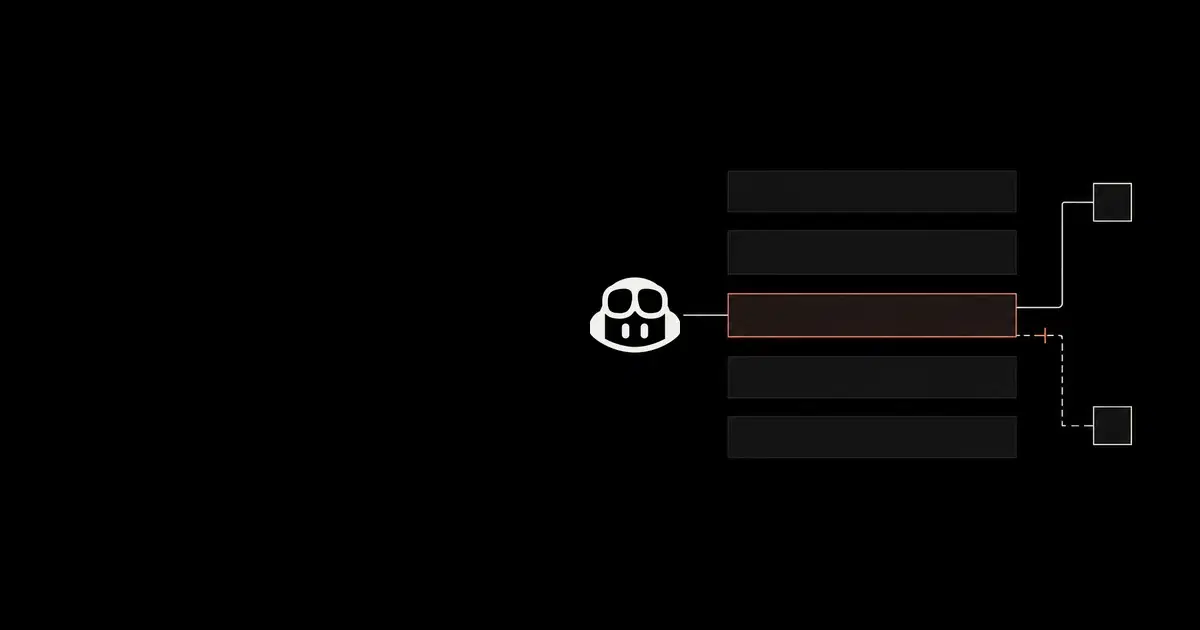
For enterprises using allowedMcpServers, choose individual URLs when each new service needs approval. The following example admits the Box connector and explicitly denies Supabase while its database-access review is unfinished.
Code source: illustrative configuration using GitHub's connector URL and allowlist reference.
{
  "allowedMcpServers": [
    {
      "serverUrl": "https://api.github.com/copilot-connectors/api/v1/connectors/githubcopilotboxmcp/mcp"
    }
  ],
  "deniedMcpServers": [
    {
      "serverUrl": "https://api.github.com/copilot-connectors/api/v1/connectors/githubcopilotsupabasemcp/mcp"
    }
  ]
}
Merge the entries into the complete reviewed policy; do not replace an existing allowlist with this excerpt. Unlisted non-default servers would be blocked. GitHub's managed-settings reference specifies restrictive composition across policy sources: a deny still wins, and a server must satisfy each applicable allowlist. Removing a deny from one file does not remove a deny delivered elsewhere.
The reference also excludes MCP definitions in repository custom agent profiles from these two lists. Review those profiles and their applicable firewall controls separately. Do not describe this configuration as a universal block on every route to the service.
Use the existing managed-permissions deployment guide for delivery, license-source, and refresh diagnostics. Verify actual receipt before interpreting a failed connection as a bad URL or loosening the policy.
Check what the service account can do#
GitHub's connector URL identifies an integration. The service still determines the resources and operations available to the authenticated account. A file-management connection needs a review of its accessible files and write capabilities; a database connection needs a review of its project and query authority.
Supabase makes this distinction concrete. Its direct MCP server documentation provides project_ref for one project, read_only=true for read-only SQL, and features for selected tool groups. These are parameters on mcp.supabase.com, a different endpoint from the GitHub connector URL above.
Those sources do not establish that appending the same parameters to GitHub's managed connector configures its upstream connection. Check the connector's actual consent and configuration options. If you cannot establish the required project or operation restriction, leave that production connection disabled. Evaluate a separately configured direct MCP connection only through your normal review process.
Read-only access also leaves a confidentiality question. Our July 2025 Supabase research showed how customer-controlled ticket text redirected a developer assistant into unrelated private-table reads and a customer-visible reply. That historical setup is not evidence of a vulnerability in the new GitHub connector. It explains why preventing database writes still leaves the destination of retrieved data worth reviewing.
For a schema-analysis pilot, start with a development project containing synthetic data. Check the account and reachable project, list the available tools, and decide where results may go. Asking for schema information does not narrow the account's access.
Accept the policy and data boundary separately#
Use the following checks with harmless fixtures under your administration. The expected outcomes are proposed rollout criteria, not results from a General Analysis experiment.
| Check | Evidence to retain | Decision if unverified |
|---|---|---|
| Approved connector on each intended client | Effective policy, account, client/runtime, and successful fixture access | Keep that client outside the rollout. |
| Explicitly denied connector | A policy rejection after refresh, rather than a model choosing another tool | Diagnose delivery and matching before widening access. |
| Service identity and scope | Consent account, organization, intended project or folder, and access to only the approved fixture | Do not connect sensitive resources. |
| Required read-only behavior | Effective restriction and a harmless write rejected in the disposable test resource | Keep unattended or production writes disabled. |
| Cloud continuation | Cloud-sandbox identity and fixture outcome, recorded separately from local checks | Do not extend a local pass to cloud use. |
| Withdrawal of access | Refreshed client policy, provider-side authorization state, and a new access attempt | Keep containment open until the relevant paths are accounted for. |
For an access-withdrawal drill, distinguish the policy update from the provider authorization change. Check both a fresh session and a previously connected session. Record anything still running and inspect the service's activity record where available. Neither the announcement nor the connector documentation promises that changing an allowlist cancels work already accepted by a downstream service.
Avoid collecting real customer content to prove a connection works. Fixture identifiers, decisions, and timestamps should normally be enough for this pilot. If a check fails, preserve its actual error and configuration revision; an empty result is not automatically an authorization denial.
Approve the client, identity, endpoint, and service scope that passed the pilot. For anything unresolved, name the missing evidence and who will obtain it before adding that combination to the rollout.
Frequently asked questions
- Does allowing the Supabase connector make it read-only?
No. GitHub's MCP allowlist decides whether the connector endpoint is permitted. Supabase documents separate project, read-only, and tool-group controls for its direct MCP endpoint. Verify the controls available through the GitHub connector; do not assume direct-endpoint URL parameters carry over.
- Does a Copilot connector wildcard include future services?
Yes. GitHub documents that its connector wildcard allows current and future connectors. Use individual connector URLs when each additional service needs review, and preserve other approved MCP entries in the complete allowlist.
- Can Copilot connectors run when an issue is assigned to Copilot?
GitHub currently excludes sessions running on GitHub Actions, including issue-assignment sessions. Connectors support local clients and cloud-sandbox sessions. Record the execution environment rather than treating every cloud session as equivalent.