
OpenAI introduced Dots on September 29, 2026: agents that keep working between conversations, with their own cloud computer and connected apps. For a security team, the rollout question includes how to stop work that has already spread into other tasks.
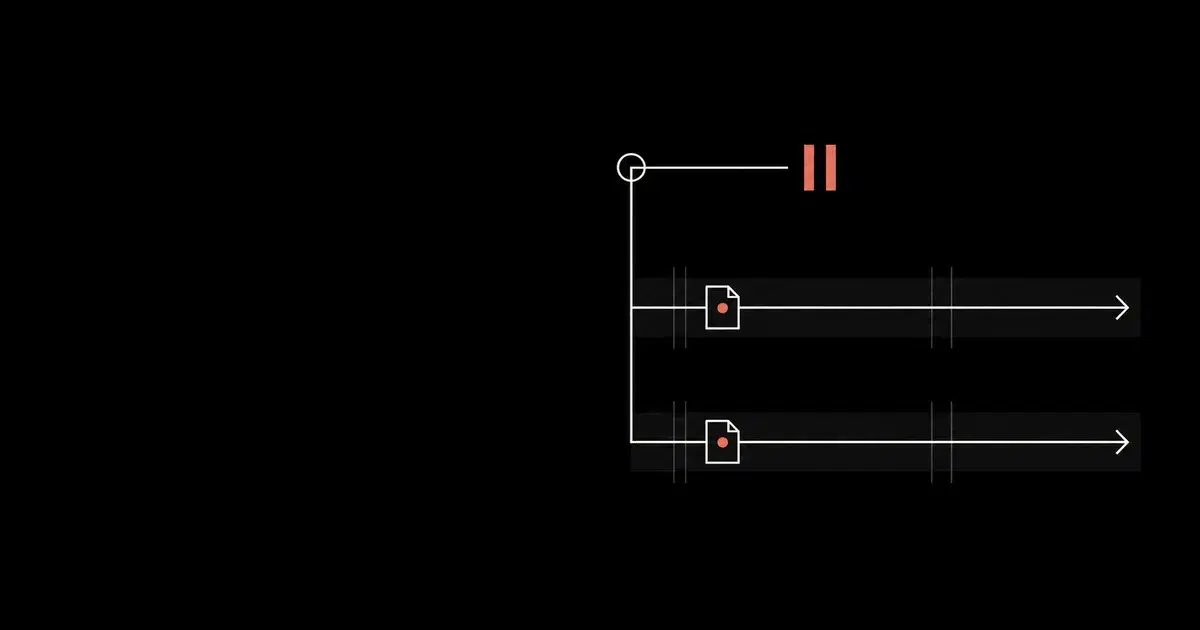
Pause stops the dot's main task. Delegated tasks and recurring schedules require separate controls. OpenAI documents that distinction in Control your dot. A paused profile is therefore insufficient evidence that an ongoing workflow has stopped.
Before granting a dot access to a developer machine or business system, decide which work it may start and who owns the resulting actions. This guide combines documented behavior with a proposed pilot and shutdown record. General Analysis has not tested a Dots tenant for this guide.
Establish the rollout boundary#
The launch is a gradual rollout to eligible accounts. Check the current Enterprise setup guide for the workspace: access to Dots, local computers, apps, and communication channels are separate permissions. Existing enterprise model defaults do not govern Dots. A model restriction used for another workflow is not evidence that Dots is disabled.
Check the workspace eligibility and data limitations before connecting a machine. The Enterprise Dots beta lacks data and inference residency support and strict zero data retention. Local execution still exchanges task context with cloud coordination.
If the proposed workflow requires one of those unsupported guarantees, keep it outside the pilot. For the wider runtime baseline, use our coding-agent security guide.
See how your AI systems hold up under real attacks
General Analysis maps AI applications and agents, red teams prompts, retrieval, tools, MCP servers, browser actions, permissions, and business workflows, then turns findings into evidence your team can reproduce and retest.
Match each restriction to where the action runs#
An instruction to use a local repository does not establish where every later tool call will run. Review the actual task and execution location. The following map combines Agent Security policy scope with the Dots admin controls.
| Action surface | Control to review | Pilot evidence to retain |
|---|---|---|
| Task coordination | Supported Global requirements for approvals and tool controls, with managed policy enabled | Policy assignment and the approval decision for a representative action |
| Connected local computer | Supported Local execution requirements and applicable device policy | Execution location, allowed path, and a denied access result |
| Dot's cloud computer | Cloud browser, network, and computer-use capabilities | Effective permissions for the pilot member and the resulting cloud behavior |
| Connected app | Plugin action restrictions and the source account's grants | Account identity, permitted operation, and source-service receipt |
| Signed-in website | Cloud browser session and account authority | Website account and session status, separately from the plugin inventory |
Requirements constrain choices; defaults supply starting values. Keep approval controls in Global, and use environment settings for supported execution controls. Local file and network restrictions do not automatically carry over to the dot's cloud computer. Cloud capability permissions also need their own review.
The local-access setup requires ChatGPT desktop 26.929 or later, the admin opt-in, and the member's computer grant. Check the effective policy before assigning work.
Start with a task whose effects you can inspect#
Consider a hypothetical pilot that reads dummy bug reports and prepares a triage document. Give it one test account, a named destination, and a short end date. Leave customer messaging and production repository writes unavailable. The first useful result is a document whose sources, location, and authoring account the owner can explain.
OpenAI describes custom rules as instructions the dot attempts to follow and warns that it can make mistakes. They do not grant app access or override required safeguards. Use them to express the pilot's approval boundary, then check the actual capability and account permissions. Custom-rule reference.
For example, ask for a draft triage report and require a decision before sharing it outside the pilot group. Verify that the destination account matches the intended workspace. Our multi-account plugin guide covers source-to-destination authorization in more detail.
Keep website access on the inventory even if the same service has a plugin. The cloud browser has its own sessions. A valid session can support later work without another sign-in; reusing a saved login for a new sign-in requires confirmation. Those are different states in OpenAI's computer and app connection reference.
Shut down the workflow in separate steps#
Use the pilot to rehearse an ordinary stop before granting more authority. Record the time at each step so later service activity can be reconciled with the control change.
- Pause the main task. Open Activity and stop each delegated task in scope. Open Scheduled and disable or delete its recurring work. Retain task identifiers and visible outcomes; a missing progress update does not establish completion.
- Remove the local computer grant if local access must end. Offline status preserves the grant. OpenAI also warns that an already authorized local Dots task may finish after an administrator disables local access. Inspect that task instead of assuming immediate termination. Local-access behavior.
- Review the affected app grants and website sessions. Workspace Dots revocation does not replace disconnecting an app or signing out of a website. Restrict source-service authority under the organization's incident or offboarding procedure. Admin revocation guidance.
- Check the destination systems for actions already completed. Record documents, messages, repository changes, or other effects requiring correction. Stopping the task does not reverse them. Review retained information separately: disconnecting an app does not delete content already obtained.
Do not use deletion as a substitute for understanding the active work. Preserve the evidence needed for the review before any destructive cleanup.
This illustrative record is a proposed review format, not an OpenAI API schema or a captured test result. Null values mean the reviewer has not yet collected evidence.
Code source: illustrative.
{
  "workflow": "dummy-bug-triage-pilot",
  "main_task_stop": null,
  "delegated_task_outcomes": [],
  "schedule_cancellations": [],
  "local_access_revocation": null,
  "app_grant_review": [],
  "website_session_review": [],
  "downstream_actions_after_stop": [],
  "reviewer": null,
  "shutdown_verified": false
}
Require an observation or an explicit reason that a field does not apply. An empty list can mean either "none found" or "not checked"; the reviewer must resolve that ambiguity before setting the final status.
Verify the evidence your team actually receives#
OpenAI distinguishes local execution telemetry from cloud records: cloud orchestration events do not reach the existing local OpenTelemetry collector. Use supported Compliance API records and verify their coverage alongside local events. Changing the collector endpoint cannot recover the missing orchestration stream. Telemetry coverage.
For the pilot, retain the policy revision, task references, approval outcome, stop times, and downstream service receipts. Reconcile those records after shutdown. If the team cannot determine whether a delegated write completed, keep the affected write capability restricted until it can resolve that outcome.
Frequently asked questions
- Does pausing a dot stop all its work?
No. Pause stops the current main task. Open delegated tasks in Activity to stop them, and disable or delete recurring tasks in Scheduled. Stopping work does not undo completed actions.
- Does taking my computer offline revoke Dots access?
No. Offline means the computer is unavailable, while its saved access grant remains. Use Revoke access to remove that grant. Review cloud work, app connections, and browser sessions separately.