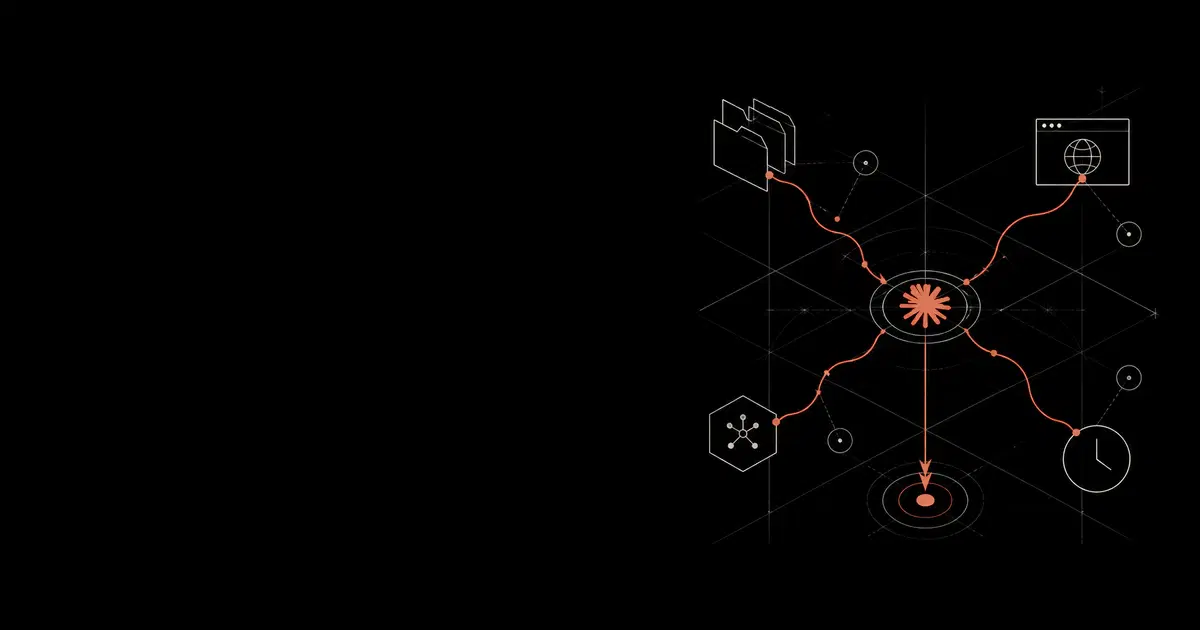

Claude Cowork brings an agent into the desktop work surface. It can work with local folders, browser sessions, plugins, connectors, scheduled tasks, code execution, and approved desktop apps. Those capabilities make it useful for knowledge work. They also create a security boundary that looks more like an endpoint agent than a chatbot.
This article is a practical risk guide for teams evaluating Claude Cowork in 2026. It follows the control model from How to Secure Claude Cowork, the tool supply-chain model from MCP Server Security, the audit model from Claude Compliance API, and the rollout tiers in our How to Secure Coding Agents report.
If your team wants production enforcement instead of a written policy, General Analysis provides AI Detection and Response, on-device agent security, MCP governance, and runtime controls for employee AI usage. The relevant product path is AI Detection and Response for monitoring and containing risky employee-agent behavior, with AI Runtime Security for live enforcement.
Cowork Security Boundary#
Claude Cowork moves Claude-style agentic work into Claude Desktop. Anthropic describes Cowork as using Claude Code-style agentic architecture with local files, sub-agents, isolated code execution, plugins, connectors, browser use, and desktop app control in approved situations. The security posture therefore depends on the device, local grants, connected accounts, plugin set, browser state, and telemetry pipeline.
The important shift is authority. A web chatbot mostly produces text. Cowork can read and change files, operate inside a logged-in browser, use connector grants, run scheduled work, call MCP tools, and interact with desktop apps. Security teams should evaluate Cowork as a workflow agent with access to user identity, local data, and application state.
The secure deployment question is concrete.
| Surface | What can go wrong | Control that should own it |
|---|---|---|
| Local folders | Cowork reads, edits, deletes, or shares files outside the intended task | Dedicated working folders, sensitive-path denial, endpoint telemetry |
| Browser use | A webpage, email, ticket, or document carries hidden instructions | Managed Chrome profile, prompt-injection policy, proxy/DLP on uploads and sends |
| Computer use | Cowork clicks, types, screenshots, or submits data in an approved app | App allowlists, approval for irreversible actions, endpoint logs |
| Plugins and MCP | Tool metadata, schemas, and outputs steer the model or expose data | Curated plugins, MCP allowlists, schema scanning, MCP gateway |
| Connectors | OAuth scopes give Cowork broad SaaS reach | Least-privilege scopes, connector owners, review of write actions |
| Scheduled tasks | A safe-looking task runs later in a different context | Explicit approval, recurrence owner, task inventory, audit events |
| Audit | Local Cowork activity is hard to reconstruct centrally | Cowork OpenTelemetry, proxy logs, endpoint logs, browser logs, MCP logs |
Detect and respond to employee AI agent risk
General Analysis AI Detection and Response monitors employee AI agents across files, browsers, MCP servers, connectors, scheduled work, and downstream business actions. It gives security teams the trace, policy decision, and response workflow needed to stop unsafe data movement.
Planning and Admin Controls#
Plan level changes the Cowork security posture. Pro and Max can be useful for individual experimentation, but they lack the organization-level control surface most enterprises need. Team and Enterprise add admin controls for Cowork availability, Claude in Chrome, web search, organization plugin distribution, and OpenTelemetry. Enterprise adds stronger group and compliance controls.
Use this as a procurement checklist before rollout.
| Capability | Why it matters |
|---|---|
| Organization-wide Cowork toggle | Lets owners disable Cowork while policy, telemetry, and incident response are prepared |
| Claude in Chrome control | Lets owners disable or constrain the highest-volume browser prompt-injection surface |
| Web search and web fetch settings | Needed because some web paths do not behave like ordinary device egress |
| Organization plugin marketplace | Lets owners distribute curated plugins instead of relying on user-installed packages |
| Enterprise group controls | Enables different Cowork posture by team or role |
| OpenTelemetry | Provides Cowork event streams for investigation and monitoring |
| Tenant Restrictions | Blocks corporate-network access to unapproved personal or external Claude organizations |
| Compliance API | Covers Claude.ai and API evidence, while Cowork still needs separate telemetry and endpoint evidence |
Tenant Restrictions deserve special attention. Anthropic supports a proxy-injected anthropic-allowed-org-ids header for Enterprise and Console organizations. That control helps prevent employees from using personal Claude accounts on corporate networks, including desktop and API access paths that pass through the proxy. It should sit beside SSO, SCIM, managed devices, and endpoint controls.
Security Tiers#
Security teams should choose an explicit Cowork posture instead of enabling every feature by default.
| Tier | Good fit | Default stance |
|---|---|---|
| Lockdown | Regulated teams, production-admin teams, or organizations without telemetry | Cowork disabled, Claude in Chrome disabled, user plugins blocked, no write-capable MCP |
| Controlled | Most enterprise pilots and managed rollouts | Cowork enabled for approved users, curated plugins, managed browser profile, scoped folders, OTel, proxy or gateway coverage |
| Open lab | Research, experimentation, low-sensitivity teams | Cowork enabled with user-installed plugins allowed by exception, broader browser access, explicit prohibition on regulated data |
The controlled tier should be the default enterprise target. It preserves Cowork's productivity value while keeping the highest-risk surfaces behind review.
Risk Model#
The recurring failure pattern is indirect control. A user asks Cowork to do a normal task. Cowork reads untrusted content during the task. That content contains instructions aimed at the agent. Cowork then proposes or performs an action through a file, browser, app, connector, plugin, MCP server, or scheduled task.
For example, a support ticket can contain hidden instructions to open a customer export. A vendor webpage can ask the agent to paste an internal summary into an external form. A tool response can tell the model that another tool must be called with sensitive parameters. A scheduled task can keep running after the user has forgotten which context it captured.
Prompt rules help, but runtime policy has to decide the outcome. The controls that matter sit between the model's proposed action and the external effect. For Cowork, that means file permissions, managed browser policy, endpoint controls, proxy or gateway decisions, MCP gateway policy, and human approval for high-impact actions.
Adjacent Claude Code vulnerabilities are relevant as architecture lessons. Past Claude Code issues around repository-controlled configuration, MCP consent, hooks, workspace trust, and API endpoint configuration show that agent configuration files can become active execution and credential-routing surfaces. Cowork is a different product, but it shares enough agentic architecture with Claude Code that teams should treat plugins, project instructions, folder instructions, MCP files, and managed settings as code-adjacent control-plane material.
Risk 1. Broad folder grants#
Cowork's file access model is powerful because it lets the agent operate on real files. Anthropic's Cowork safety guidance describes folder access, approved apps, and safety practices for local use. A folder grant can also hand the agent read, edit, delete, and share-with-tools authority across a directory tree. That creates three practical risks.
First, users often grant large folders because it is convenient. Home directories, Downloads, Desktop, shared drives, finance exports, customer data folders, and synced cloud-drive roots are risky defaults.
Second, file access can combine with tools. A local file that is safe to read may become unsafe when its contents are pasted into a browser form, sent through a connector, summarized into a ticket, or passed to an MCP server.
Third, local file activity may not produce the same centralized audit record as a normal SaaS admin event. If a team cannot reconstruct which files were touched and why, file access belongs in a low-risk pilot only.
Guidance
- Create dedicated Cowork working folders for approved tasks.
- Keep credential stores,
.envfiles, SSH keys, cloud config, browser profiles, shell history, finance exports, legal archives, and customer data out of those folders. - Require approval before Cowork moves data from a working folder to an external recipient, upload, connector, or shared document.
- Log file paths, action type, task name, user, policy decision, and bounded content hashes for high-risk file events.
Risk 2. Browser prompt injection#
Browser use is one of the highest-volume Cowork risks because arbitrary webpages become agent input. Anthropic's Claude in Chrome safety guide describes prompt injection risk in websites, emails, and documents. The same issue applies to tickets, docs, chat messages, search results, PDFs, spreadsheets, and internal dashboards. Hidden instructions in those surfaces can ask Cowork to ignore the user's task, fetch sensitive data, paste content into a form, change a setting, or message an attacker-controlled recipient.
Anthropic's own browser-use guidance treats prompt injection as a live risk. Enterprises should assume hostile content will eventually reach the agent.
Guidance
- Use a managed Chrome profile for Cowork rather than an unmanaged personal profile.
- Separate normal productivity profiles from production admin profiles.
- Require approval for public sharing, external uploads, new recipient domains, credential entry, purchases, admin-console changes, and form submissions with sensitive data.
- Route browser traffic through a secure web gateway, on-device proxy, or DLP path where possible.
- Treat webpage text, email bodies, tickets, comments, and documents as untrusted data, even when they come from familiar systems.
Risk 3. Computer use on the real desktop#
Computer use has a broader blast radius than browser use. Browser automation has URLs, requests, DOM state, extension permissions, and browser logs. Computer use sees pixels and sends clicks or keystrokes to approved desktop apps. Some risk appears only after a local UI action has already happened.
App allowlists help, but the app name is too coarse for production decisions. "Allow Slack" says little about whether Cowork should send a customer export to an external contractor. "Allow Chrome" says little about whether Cowork should change an admin-console setting. The approval point has to include action, destination, account, data class, and reversibility.
Guidance
- Block categories that should never be controlled by a desktop agent, including password managers, finance apps, crypto apps, production admin consoles, personal email, HR systems, and regulated-data systems.
- Prefer APIs or MCP tools with narrow scopes when they create better auditability than raw screen control.
- Require human approval outside the model for irreversible actions, external sends, purchases, production changes, and broad sharing.
- Preserve endpoint telemetry and screen/action metadata where policy allows it.
Risk 4. Plugins and MCP supply chain#
Plugins and MCP servers expand Cowork's reach. They can add prompts, tools, resources, connectors, sub-agents, and workflows. That makes plugin review closer to software supply-chain review than chatbot settings review.
The MCP Server Security threat model covers the full surface. Tool descriptions and schemas enter the model's context. Tool outputs can contain instructions. One malicious tool can try to influence how the agent uses another trusted tool. Local stdio servers can run with user privileges. Remote servers add OAuth, session, and SSRF risk.
Anthropic's plugin docs add two practical deployment details. First, plugins can bundle skills, connectors, and sub-agents into one package. Second, connectors in Cowork reach external services through Anthropic's cloud, while local MCP servers can run on the user's computer. That means a single plugin can create both cloud-reachable connector risk and local execution risk.
Guidance
- Maintain an approved plugin and MCP inventory with owner, source, version, scope, credentials, and data class.
- Block user-added write-capable MCP servers in managed deployments.
- Pin versions or sources where possible.
- Scan tool names, descriptions, schemas, and outputs for hidden instructions as a triage control.
- Put write, send, share, deploy, delete, database, and admin tools behind an MCP gateway and approval flow.
- Log high-risk MCP calls with server, tool, user, arguments hash, response hash, decision, and policy version.
Risk 5. Connector scope and identity#
Cowork becomes more powerful when it works in the user's existing SaaS context. That is also where enterprise risk concentrates. A connector may read internal docs, search tickets, update CRM records, create calendar events, message coworkers, or reach customer data.
Least privilege should be practical rather than theatrical. Users need enough access to do the job. The control plane should focus on risky transitions, especially when data leaves its original system, crosses a domain boundary, reaches a new recipient, changes permissions, or triggers a business action.
Guidance
- Map every connector to an owner and an approved business purpose.
- Use least-privilege OAuth scopes and avoid broad admin grants.
- Require approval for external sends, public links, permission changes, record deletion, customer-impacting actions, and admin changes.
- Monitor unusual cross-app chains, such as reading from a private document system and sending into chat, CRM, email, or a ticket.
Risk 5a. Network and web egress gaps#
Cowork network policy needs separate validation by path. Anthropic documents that Cowork respects configured network egress permissions, while also calling out exceptions for web fetch, web search, MCPs, and Claude in Chrome. Treat this as a deployment test rather than a setting you assume covers everything.
Guidance
- Test network coverage from the native Cowork agent loop, the code VM, browser use, Claude in Chrome, local plugin MCP servers, remote connectors, and scheduled tasks.
- Disable web search and Claude in Chrome for teams that are still building the monitoring stack.
- Route desktop and browser traffic through the corporate proxy or secure web gateway where feasible.
- Add Tenant Restrictions so users cannot use unapproved Claude organizations from the corporate network.
- Keep destination policy phase-aware. Documentation lookup, package download, external upload, SaaS write, and production deployment should have different rules.
Risk 6. Scheduled and delegated work#
Scheduled tasks and delegated sub-agents create delayed risk. A user can approve a task while the context feels safe, then the task runs later with different files, updated documents, changed recipients, or stale assumptions. The risk is higher when tasks can send messages, move files, update records, or invoke connectors.
Guidance
- Inventory scheduled Cowork tasks by owner, purpose, recurrence, data source, destination, and allowed actions.
- Require explicit approval for recurring tasks that write, send, share, upload, delete, or call high-risk tools.
- Expire task approvals and re-review them after connector, folder, plugin, or permission changes.
- Log every scheduled run with trigger, user, task owner, tools used, external recipients, and policy decisions.
Risk 7. Audit and compliance gaps#
The Claude Compliance API now covers supported Cowork sessions. It returns transcripts from local Cowork sessions and remote sessions started on claude.ai web or mobile. The release closes the old central-transcript gap, but it does not remove the need for a layered evidence plan.
Capture starts when the Primary Owner enables the API, so earlier local sessions cannot be reconstructed through the service. Documented exclusions include local activity that never reaches Anthropic, thinking blocks, images and other binary content, tool definitions and MCP server configuration, and content removed by retention policy. Cowork is also outside Anthropic's BAA, which keeps PHI out of scope regardless of transcript availability.
| Evidence source | What it helps reconstruct | Gap to account for |
|---|---|---|
| Compliance API | Supported Cowork session metadata and transcripts retained by Anthropic | Requires prior enablement; documented content and surface exclusions |
| Cowork OpenTelemetry | Prompts, tool decisions, tool results, API requests, errors, and prompt/session correlation | A live stream you must collect and retain yourself |
| Endpoint logs | App access, file activity, process activity, device identity | Limited model/task context |
| Browser logs and proxy logs | URLs, uploads, downloads, destination domains, web requests | Local screen actions and server-side paths may be missing |
| MCP gateway logs | Server, tool, arguments, output metadata, decision, user | Only covers MCP traffic that reaches the gateway |
| Repository and SaaS logs | Downstream record changes, document shares, messages, pull requests | Often missing the Cowork prompt that caused the action |
OpenTelemetry should be handled like sensitive telemetry. Anthropic's Cowork OTel events can include full user prompts by default, tool parameters, file paths, command arguments, plugin names, MCP server names, approval decisions, user email addresses, model calls, token counts, cost, and errors. Route OTel through a collector that can redact or filter before broader SIEM distribution. Retain enough evidence for investigation without turning the SIEM into a new sensitive-data lake.
Test reconstruction before rollout. Pull a Compliance API transcript, correlate it with OpenTelemetry and endpoint timestamps, then trace the resulting browser, proxy, MCP, and SaaS actions. If the organization cannot show the task, data access, tools, external effects, approvals, and policy version, the workload needs a narrower scope or stronger controls.
Pilot Baseline#
Start with low-risk knowledge work. Research, drafting, summarization of non-sensitive documents, internal planning, and read-only file workflows are reasonable early candidates. Avoid production admin work, regulated data, customer exports, finance workflows, HR actions, payment systems, and broad SaaS writes.
The minimum viable rollout should include the following.
- Managed devices only.
- Dedicated Cowork working folders.
- Managed browser profile with high-risk domains and actions constrained.
- Reviewed plugin and connector list.
- No user-added write-capable MCP servers.
- Approval for external recipients, uploads, shares, purchases, admin changes, scheduled writes, and production changes.
- Cowork OpenTelemetry routed to a controlled SIEM or observability endpoint.
- Endpoint and browser logs retained for investigation.
- A written exception process for teams that need sensitive workloads.
Production Baseline#
A managed baseline is appropriate once several teams are using Cowork. At this point, policy should become centrally owned rather than left to user preference.
Add the following controls.
- On-device proxy or secure web gateway coverage for browser and network paths.
- LLM gateway policy for model/tool traffic where available.
- MCP gateway for write-capable or broad-scope tools.
- Connector scope review with a named owner for each connector.
- Scheduled-task inventory and review cadence.
- DLP on uploads and external sends where DLP already exists.
- SIEM correlation across Cowork OpenTelemetry, endpoint events, proxy logs, browser logs, MCP logs, and downstream SaaS logs.
- Quarterly adversarial testing for browser injection, MCP poisoning, file exfiltration, and cross-app data movement.
High-Assurance Baseline#
High-assurance Cowork deployments are for teams that want agentic desktop workflows around sensitive business processes. This posture requires stronger containment and evidence.
Use dedicated workspaces, short-lived credentials, high-risk app blocklists, narrow browser profiles, scoped connector grants, policy-based approvals, MCP gateway enforcement, proxy coverage, DLP, incident drills, and written risk acceptance for remaining gaps.
High-assurance teams should also run automated red teaming before expanding access. Test direct prompt injection, indirect prompt injection through webpages and documents, MCP tool poisoning, unsafe cross-app chains, file movement, public sharing, scheduled-task drift, and audit reconstruction. Confirmed exploit paths should become regression tests.
Approval Policy#
Use approvals sparingly. Too many prompts train users to click through. The approval budget should focus on high-impact actions.
| Action | Default decision |
|---|---|
| Read and edit files inside approved working folder | Allow |
| Read credentials, browser profiles, Downloads, home directory, finance exports, or customer-data folders | Deny |
| Summarize untrusted webpage, ticket, email, or document | Allow with untrusted-content policy |
| Send, share, upload, or paste content to an external destination | Ask |
| Change permissions, create public links, or invite new recipients | Ask |
| Use approved read-only connector | Allow and log |
| Use write-capable connector, MCP tool, or plugin | Ask and log |
| Run scheduled task that only reads low-risk sources | Allow with owner and expiry |
| Run scheduled task that writes, sends, shares, or deletes | Ask |
| Operate production admin console, payment workflow, HR system, or regulated-data app | Deny unless high-assurance exception exists |
Incident Response#
Cowork incident response should be rehearsed before broad rollout. The team needs to know how to stop an active session, revoke folder grants, revoke connector scopes, disable plugins, disable scheduled tasks, preserve endpoint evidence, pull OpenTelemetry events, review proxy logs, review browser history, inspect downstream SaaS logs, and notify affected owners.
The first hour matters most.
- Stop the Cowork session and preserve the device state.
- Revoke or narrow folder, browser, app, connector, plugin, and MCP grants.
- Pull the Cowork session transcript through the Compliance API and preserve its identifiers.
- Export Cowork OpenTelemetry and endpoint logs for the relevant time window.
- Pull proxy, browser, MCP gateway, and downstream SaaS logs.
- Identify external recipients, public links, uploads, messages, commits, and record changes.
- Rotate credentials if secrets, tokens, cookies, or session material may have been exposed.
- Convert the incident path into a policy rule and a red-team regression test.
Security Architecture#
A mature Cowork security architecture has four layers.
| Layer | Role |
|---|---|
| Endpoint and workspace controls | Managed device, folder grants, app allowlists, sensitive-path denial, endpoint telemetry |
| Browser and network controls | Managed profile, extension policy, proxy, DLP, destination allowlists and denylists |
| Tool and connector controls | Plugin review, MCP gateway, connector scopes, OAuth review, per-tool approval |
| Evidence and testing | Cowork OpenTelemetry, SIEM correlation, audit reconstruction, adversarial testing, incident drills |
The architecture should preserve Cowork's usefulness. Employees should be able to perform normal low-risk work without constant approval prompts. The controls should concentrate on data movement, authority changes, cross-app chains, scheduled writes, and tool calls with external effects.
Related Guides#
Claude Cowork security FAQ
Short answers on Claude Cowork risks, enterprise rollout, audit gaps, browser use, computer use, and MCP security.
- What are the main Claude Cowork risks?
The main risks are broad file access, prompt injection through webpages and documents, computer-use actions in approved apps, plugin and MCP supply-chain exposure, connector scope abuse, scheduled tasks that run later, and audit gaps across local Cowork activity.
- Is Claude Cowork safe for regulated workloads?
Keep PHI out of Claude Cowork because Anthropic's BAA excludes the feature. For payment data, financial records, legal holds, and sensitive HR data, map the applicable controls before rollout and require Compliance API capture, proxy, endpoint, OpenTelemetry, and approval evidence to be working.
- What is the highest-leverage control for Claude Cowork?
The highest-leverage control is an on-device proxy or LLM gateway that sees network traffic, tool calls, uploads, and external writes. It should be paired with folder scoping, managed browser policy, plugin review, MCP gateway policy, endpoint telemetry, and human approval for high-impact actions.
- Does the Claude Compliance API cover Cowork?
Yes for supported Enterprise sessions. The Compliance API returns transcripts for local Cowork sessions and remote sessions started on claude.ai web or mobile. Capture begins only after the Primary Owner enables it, and the transcripts have documented exclusions, so pair them with Cowork OpenTelemetry, endpoint, browser, proxy, and MCP gateway logs.
General Analysis Controls#
General Analysis secures employee AI agents by placing detection, policy, response, and evidence around the actions that matter: files, browser traffic, MCP tools, connectors, model calls, uploads, scheduled work, and downstream business systems. For Claude Cowork, that means using AI Detection and Response with an on-device control layer, LLM gateway policy, MCP governance, and runtime guardrails to keep the workflow useful while blocking unsafe data movement.