
Until this month, creating an agent identity blueprint in Microsoft Entra took an administrator or the Agent ID Developer role. Microsoft's Message Center post MC1506733, published October 13, 2026, changed the default: from November 4, users who hold no Entra role can create blueprints unless an admin turns the setting off. Rollout runs from early to late November, and a value you set before rollout reaches your tenant takes effect when it arrives.
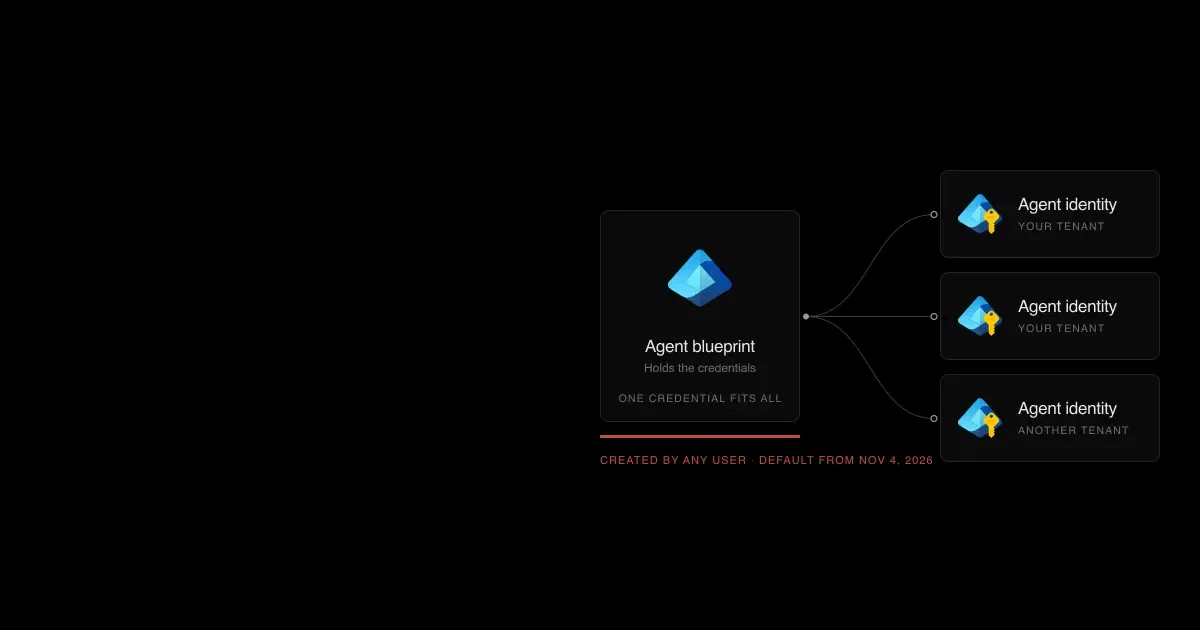
Blueprints matter because of where Entra Agent ID keeps credentials. Agent identities don't have credentials of their own; they authenticate with tokens issued through their blueprint (Entra Agent ID concepts). Researchers at Datadog Security Labs showed the consequence: anyone who can add a credential to a blueprint can act as every agent identity created from it, in every tenant where it's used (Datadog).
This guide covers what changed, how to restrict it, what the setting doesn't touch, and which Microsoft pages haven't caught up.
What changed on November 4, 2026?#
| Item | Detail |
|---|---|
| Setting | Users can create agent blueprints; one practitioner reported the label "Users can register agent identity blueprints" in their tenant |
| Location | Microsoft Entra admin center > Entra ID > Users > User settings |
| Default | Yes: users can create blueprints |
| Who it affects | Default users: people with no built-in or custom Entra role |
| Who keeps the ability when it's No | Supported administrators and holders of the Agent ID Developer role |
| What it doesn't change | Existing blueprints, creating agent identities from existing blueprints, and license or subscription requirements |
| Related setting | Users can register applications, which is separate; Microsoft says to review both |
| Rollout | Early to late November 2026 |
Sources: Message Center MC1506733 and Delegate application and agent management permissions, checked November 6, 2026.
Microsoft's Learn page states the new default plainly: "By default, users in your organization can create agent identity blueprints." Once a user has a blueprint, they can create agent identities from it and manage the agents they create.
See how your AI systems hold up under real attacks
General Analysis maps AI applications and agents, red teams prompts, retrieval, tools, MCP servers, browser actions, permissions, and business workflows, then turns findings into evidence your team can reproduce and retest.
Why is blueprint creation a security decision?#
Creating a blueprint doesn't hand anyone access to company data on its own. An agent identity still needs consent: delegated permissions need user consent where your consent settings allow it, and application permissions need an administrator. The risk comes from what blueprints concentrate.
- Credentials live on the blueprint. Datadog showed that adding one credential to a blueprint is enough to authenticate as all of its agent identities. Its follow-up walked from an Agent ID Administrator in a parent tenant to Global Administrator in a subsidiary through an agent with permission to issue Temporary Access Passes (Datadog).
- Agent identities can hold powerful permissions. Compass Security found 944 of 1,041 tested Microsoft Graph permissions assignable to agent identities. It also showed consent phishing with a multitenant blueprint, and found that blueprint owners, Agent ID Administrators, and AI Administrators can all add blueprint credentials (Compass Security).
- The admin role has been abused before. Silverfort found that the Agent ID Administrator role could take ownership of ordinary service principals, including one holding Global Administrator. Microsoft fixed the role's scope by April 9, 2026 (Silverfort).

Agent identities authenticate through their blueprint, so one credential added there works for every identity created from it, in every tenant where it's used.
With the new default, any employee can become a blueprint owner. That means more credential-bearing objects to inventory, more owners who can mint identities, and a ready-made vehicle for consent phishing against your users. Our reading is that most organizations should restrict creation to people who build Entra-registered agents and govern those blueprints as they would app registrations.
How do you restrict agent blueprint creation?#
Microsoft's documented steps:
- Sign in to the Microsoft Entra admin center as at least a Cloud Application Administrator.
- Browse to Entra ID > Users > User settings.
- Set Users can create agent blueprints to No, then save.
- Assign the Agent ID Developer role to the people who build Entra-registered agents.
- Review Users can register applications on the same page, and user consent under Entra ID > Enterprise apps > Consent and permissions.
Practitioners have reported the toggle unavailable to some Cloud Application Administrators during rollout. If it's greyed out, retry with a more privileged role rather than assuming the setting doesn't exist in your tenant yet.
What doesn't the setting cover?#
The Message Center title says "who can create agents," which is broader than what the toggle governs.
| Agent type | Affected? | Where to govern it |
|---|---|---|
 Entra-registered agents built with SDKs or pro-code tools | Yes, for new blueprints | This setting, Agent ID roles, consent settings |
 Third-party (ISV) agents users consent to | No; consent creates the blueprint principal | User consent settings |
 Copilot Studio agents | Not by this setting; identities come from a Microsoft-owned blueprint | Power Platform admin center (Copilot Studio security) |
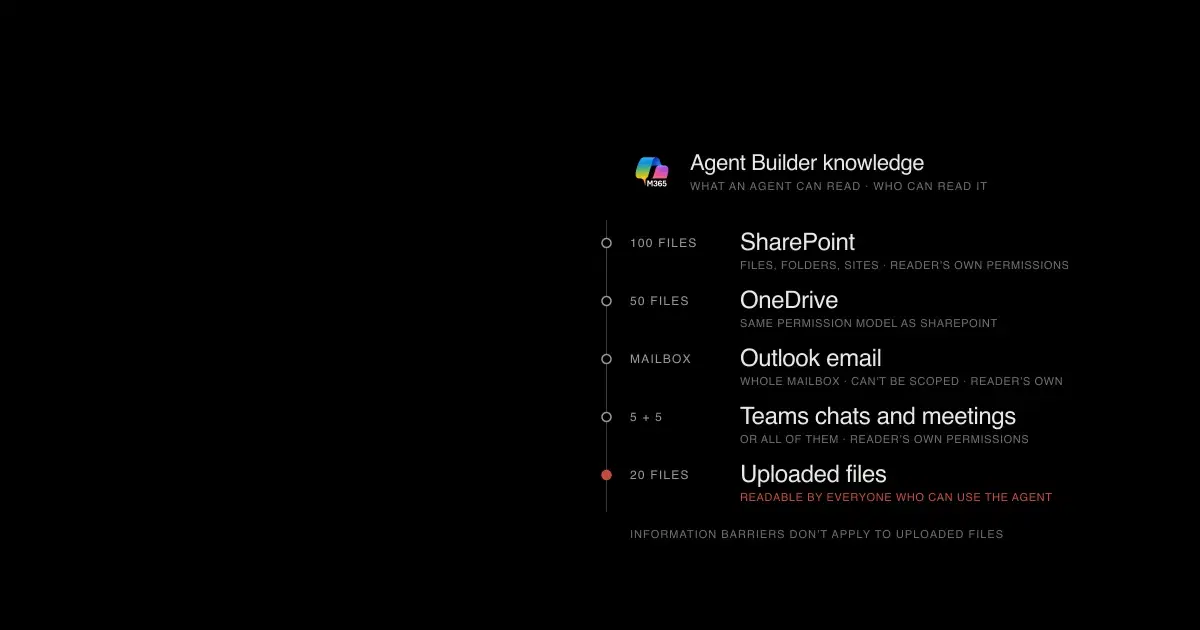
 Agent Builder agents in Microsoft 365 Copilot | No; they have no Entra agent identity | Microsoft 365 admin center (Agent Builder security) |
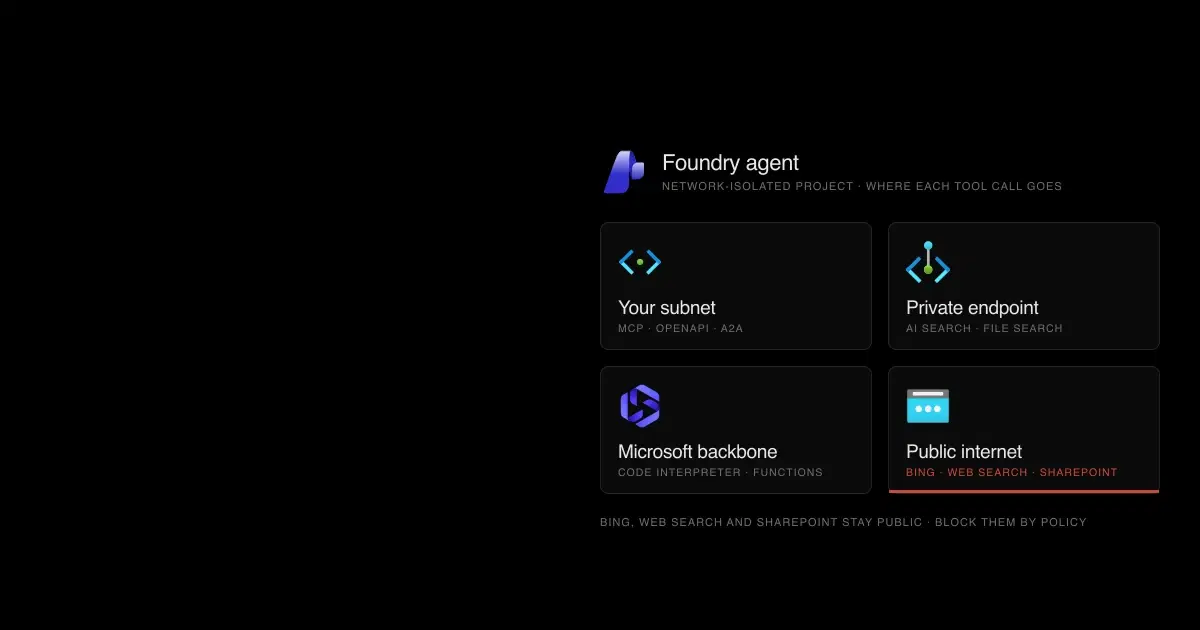
 Microsoft Foundry agents | Not documented | Azure RBAC on Foundry projects (Foundry agent security) |
Microsoft's disable agent identities page notes there's no way to block consent to ISV agent blueprints without also blocking user consent to ordinary applications. If that's too broad, it recommends Conditional Access block policies instead.
How do you find blueprints users already created?#
Changing the setting doesn't remove what exists. Review Entra ID > Agents > Agent blueprints, where an Agent ID Administrator can disable a blueprint in your tenant or, for multitenant blueprints, in all tenants.
In audit logs, a new blueprint appears as Add application and a new agent identity as Add service principal. Filter on the agentType property of initiatedBy and targetResources: any value other than notAgentic means an agent was involved. Pair that with sign-in logs, where the agentSignIn resource type marks agent authentication.
Microsoft also provides a default inactivity policy for agent identities, in preview and free for all tenants, under ID Governance > Lifecycle Workflows > Lifecycle Policies. It isn't on until you enable it. Its fixed stages notify at 60 days of inactivity, disable at 90, and delete at 455 (agent inactivity policy).
How do you stop agent identities in an incident?#
Conditional Access can block token issuance for every agent identity in the tenant without modifying them. Microsoft provides three templates: block agent identities, block agents' user accounts, and block users signing into agents. Run them in report-only mode first; they require Microsoft Entra ID P1, and they don't prevent new identities from being created.
Code source: Disable agent identities in your tenant
POST https://graph.microsoft.com/beta/identity/conditionalAccess/policies
Content-type: application/json

{
    "displayName": "Block all agent identities from accessing resources",
    "conditions": {
        "clientApplications": {
            "includeAgentIdServicePrincipals": [
                "All"
            ],
            "excludeAgentIdServicePrincipals": [],
            "agentIdServicePrincipalFilter": null
        },
        "applications": {
            "includeApplications": [
                "All"
            ],
            "excludeApplications": []
        }
    },
    "grantControls": {
        "operator": "AND",
        "builtInControls": [
            "block"
        ]
    },
    "state": "enabledForReportingButNotEnforced"
}
Before enforcing it, check which Microsoft experiences depend on agent identities. Microsoft warns that Copilot Studio agents, Security Copilot agents, and its own Conditional Access Optimization Agent may fail or fall back to standard service principals.
Which Microsoft docs are out of date?#
As of November 6, 2026, several Entra pages don't reflect the new default:
| Page | What it still says |
|---|---|
| How are agent identities created? | Blueprint creation in the portal or CLI requires the Agent ID Developer or Agent ID Administrator role |
| Disable agent identities | Block creation by removing Agent ID roles and Graph permissions; the new user setting isn't mentioned |
| Default user permissions | No entry for agent blueprint creation |
Following the disable page alone leaves the default-user path open after November 4, so add the user setting to any runbook built from it.
Entra Agent ID vs Agent 365: which controls need which license?#
Entra Agent ID is the identity layer, and Microsoft says it's available to all Entra customers. Agent 365 is the licensed control plane; Microsoft says extending Entra security features to agents requires it (what are agent identities).
| Control | License, per Microsoft's documentation |
|---|---|
| "Users can create agent blueprints" and disabling blueprints or identities | Included with Entra |
| Conditional Access block templates for agents | Microsoft Entra ID P1, per the disable page |
| Conditional Access for agents as a governed feature | Microsoft 365 E7, or Agent 365 with Entra ID P1 or Microsoft 365 E3 (Conditional Access for agents) |
| ID Protection for agents | Agent 365, which Microsoft says it will require soon (ID Protection for agents) |
| Default inactivity policy | Included, in preview |
The two Conditional Access rows come from different Microsoft pages and may describe different scopes; check your licensing before relying on agent-targeted policies.
Entra agent blueprint FAQ
Questions about Microsoft Entra's November 2026 change to agent blueprint creation.
- What does the Entra setting "Users can create agent blueprints" do?
It controls whether users with no Microsoft Entra role can create agent identity blueprints, the objects that hold credentials for Entra agent identities. It's on by default from November 4, 2026. Set it to No under Entra ID > Users > User settings to limit creation to supported administrators and holders of the Agent ID Developer role.
- Does turning it off stop people building Copilot Studio or Agent Builder agents?
No. Agent Builder agents don't use Entra agent identities, and Microsoft says the setting doesn't affect creating agent identities from existing blueprints. Copilot Studio agents get their identities from a Microsoft-owned blueprint. Govern those agents in the Microsoft 365 and Power Platform admin centers.
- Does it remove blueprints users have already created?
No. Existing blueprints and the agent identities created from them stay. Review them under Entra ID > Agents > Agent blueprints and disable any you don't recognize.
- Is the Entra agent inactivity policy on by default?
No. Microsoft provides a default inactivity policy for agent identities to all tenants without an extra license, but it's in preview and an admin has to enable it. Its stages notify at 60 days of inactivity, disable at 90, and delete at 455.
- What's the difference between Entra Agent ID and Agent 365?
Entra Agent ID is the identity layer: blueprints, agent identities, and agent user accounts, available to all Entra customers. Agent 365 is Microsoft's licensed control plane for agents. Microsoft says extending Entra security features such as Conditional Access and ID Protection to agents requires Agent 365.
How General Analysis helps#
General Analysis tests agents with the identities and permissions they actually hold, including what an attacker could do with a compromised blueprint credential or a consented third-party agent. AI security asset management discovers and inventories AI systems, including agents, across your environment, and AI detection and response watches for agent identities behaving outside their purpose.