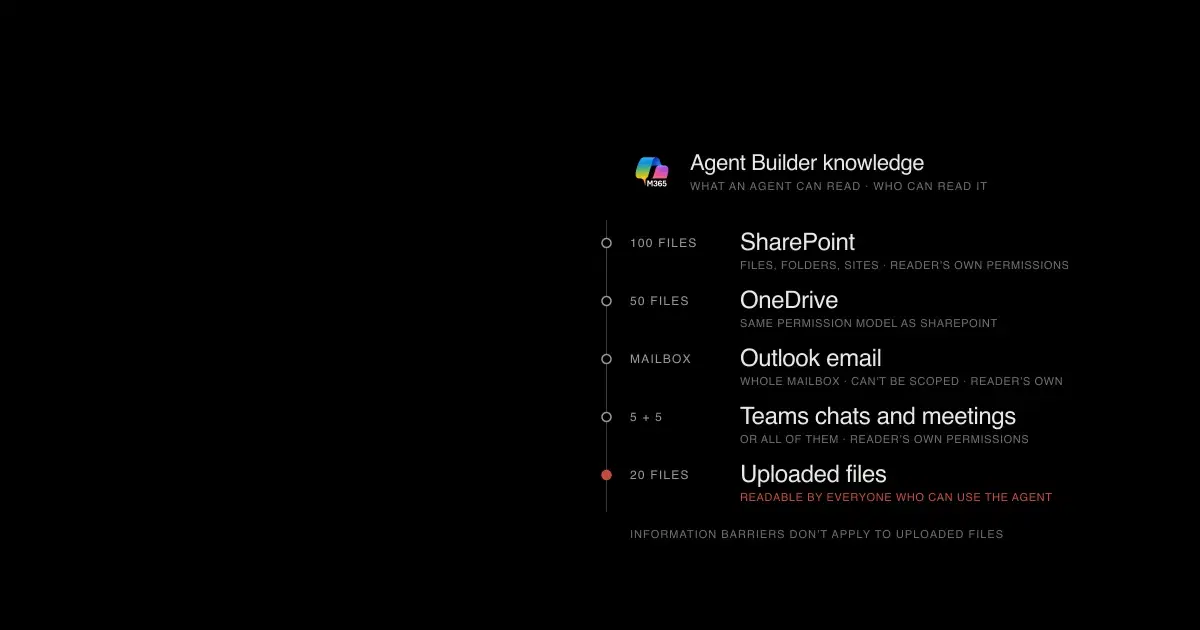

Upload a file to an Agent Builder agent and anyone who can chat with that agent can read what the file says. Microsoft states it plainly: "any user who has access to the agent also has access to the information in the file" (Add knowledge sources in Agent Builder). The file's SharePoint permissions no longer decide who sees its contents, and Microsoft Purview Information Barriers aren't enforced on these uploaded copies.
Most of Agent Builder works the other way. An agent grounded in SharePoint, email, or Teams answers with the permissions of the person chatting with it, so it can't show that person something they couldn't already open. Governance effort belongs on the exceptions: uploaded files, automatically shared SharePoint knowledge, and org-wide sharing.
Identity matters before any of that. Microsoft's Copilot Studio documentation says Agent Builder agents "currently don't use or require app registration IDs or Agent IDs" (App registration, agent identities, and authentication). Conditional Access policies that target agent identities, ID Protection for agents, and Agent 365 policy templates are built around Microsoft Entra Agent ID, so they have little to act on here. Most governance for these agents happens in the Microsoft 365 admin center, SharePoint, and Purview.
This guide maps those controls. Several are in preview, so check a control's status before depending on it. If an agent needs actions, connectors, or its own identity, start with our Agent Builder vs Copilot Studio vs Foundry comparison.
What is Agent Builder in Microsoft 365 Copilot?#
Agent Builder creates declarative agents: instructions, knowledge sources, and a few built-in capabilities that run on Microsoft 365 Copilot's orchestrator. Microsoft has also called it the Copilot Studio agent builder and, for a while, Copilot Studio Lite; the old copilot-studio-lite documentation path now leads to the Agent Builder overview.
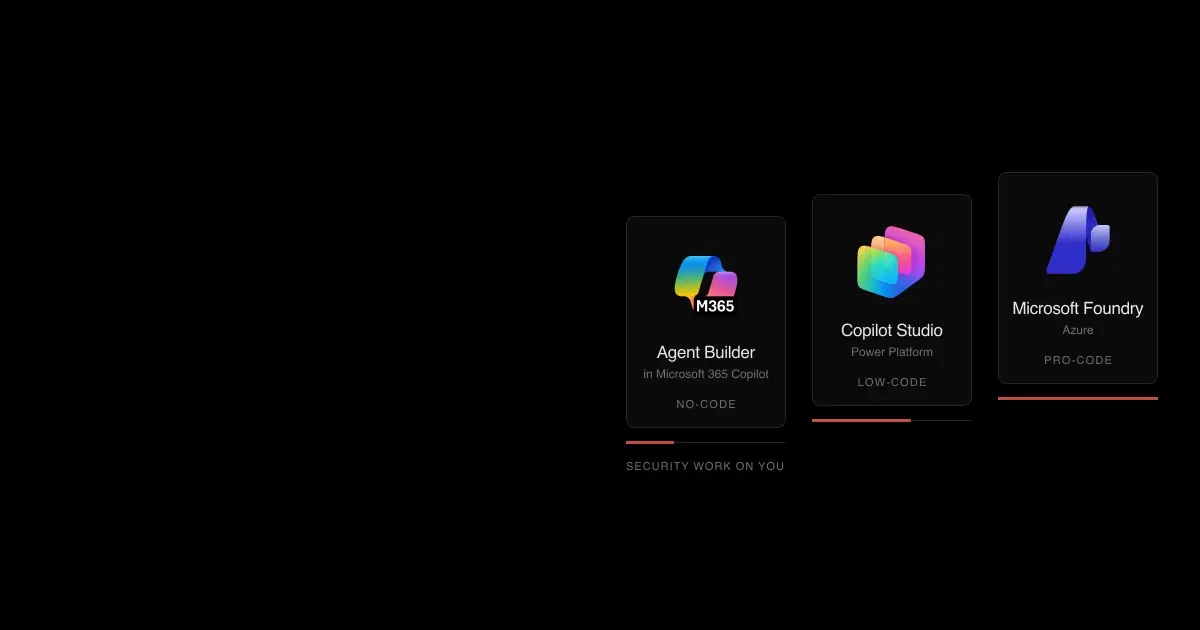
Makers can't add actions that call external services in Agent Builder. Microsoft points them to Copilot Studio or pro-code tools for that. Two other details from the overview matter for security reviews: Agent Builder doesn't support customer-managed keys, and Copilot Studio processes Agent Builder's capabilities, so data can flow between Microsoft 365 and Copilot Studio during authoring and use.
Agent Builder is also becoming Microsoft's single no-code agent builder, and Microsoft has announced these changes:
- Mid-Nov 2026SharePoint agents move to Agent Builder"Create an agent" in SharePoint and OneDrive opens Agent Builder instead of creating a
.agentfileMC1511052 - Nov–Dec 2026Scheduled promptsLicensed users can run an agent on a schedule. Rolls out from mid-November to mid-DecemberMC1302906On by default
- Late Nov 2026Agents button becomes PluginsThe Copilot app replaces its Agents button with PluginsMC1484008
- After Mar 2027Existing .agent files stop respondingMicrosoft's guide: upgrade SharePoint agentsMC1511052
At its 2026 Microsoft 365 Community Conference, Microsoft's Agent Builder roadmap session cited more than 50,000 agents built per day (session slides).
See how your AI systems hold up under real attacks
General Analysis maps AI applications and agents, red teams prompts, retrieval, tools, MCP servers, browser actions, permissions, and business workflows, then turns findings into evidence your team can reproduce and retest.
What can an Agent Builder agent read?#
Knowledge scope is where most Agent Builder risk sits, and several sources are broader than their names suggest.
| Knowledge source | Documented scope | What to check |
|---|---|---|
| Public websites | Up to four URLs, two path levels deep, plus an optional "Search all websites" setting | The tenant policy "Allow web search in Copilot" overrides the builder's toggle |
| SharePoint files, folders, and sites | Up to 100 files; a site URL "searches the URL and subpaths" | A broad site URL can pull in far more than the maker intended |
| SharePoint list | One list, up to 20,000 items | List attachments aren't indexed |
| OneDrive files | Up to 50 files | Same permission model as SharePoint |
| Teams chats and meetings | Up to five chats and five meetings, or all of them | The broad option searches every meeting transcript and the whole calendar the user can reach |
| Outlook email | The whole mailbox | Microsoft says email knowledge can't be scoped |
| Copilot connectors (formerly Graph connectors) | Connectors an admin has enabled | Connector permission mapping decides what each reader sees |
| Dynamics 365 and Power Apps data | Read-only; Dataverse security applies | Without selected apps, queries run across every app the user can access |
| Uploaded files | Up to 20 files | Readable by everyone who can use the agent |
Source: Add knowledge sources to an agent in Agent Builder, checked November 6, 2026.
Dynamics 365 and Power Apps keep their records in Dataverse, the database underneath Microsoft's Power Platform and its CRM and ERP apps. Dataverse has its own role-based security, separate from SharePoint permissions, so an agent reading that data returns what the user's Dataverse roles allow (what is Dataverse).
License determines which of these a person can attach. Microsoft's capability table splits users into three groups:
| Capability |  Copilot Chat no pay-as-you-go | Copilot Chat with pay-as-you-go |  Microsoft 365 Copilot license |
|---|---|---|---|
| Instructions, web search, code interpreter, image generation | Yes | Yes | Yes |
| SharePoint, Copilot connectors, uploaded files, Dataverse | No | Yes | Yes |
| Email, Teams messages and meetings, people | No | No | Yes |
Pay-as-you-go is off by default. Once it's on, the billing policy's security group decides which unlicensed Copilot Chat users can use agents grounded in shared tenant data. Treat that group as an access control, not only a cost setting. Microsoft's newest pages say unlicensed Copilot Chat users can build agents grounded in instructions and public websites, while a few older pages still say authoring needs a license or pay-as-you-go. Confirm the behavior with a test account in your tenant.
Do Agent Builder agents respect SharePoint permissions?#
For grounded knowledge, yes. Microsoft says every Microsoft 365 Copilot prompt runs "in the security context of the user who initiates the prompt" (Purview DLP for Copilot), and Copilot only surfaces organizational data the user can view (Data, privacy, and security for Microsoft Copilot). Encrypted content needs the label's VIEW and EXTRACT rights before Copilot can use it.
Three Agent Builder features change who can read what.

Only SharePoint knowledge keeps each reader's own permissions in charge. Uploaded and auto-shared files change access in ways an agent share review won't show.
Uploaded files. Files added as knowledge are copied into tenant-owned SharePoint Embedded containers listed under the application name "Declarative Agent" (agent details), stored in the tenant's default geography. Everyone who can use the agent can read them, and Information Barriers don't apply. The one gate is the label: only users with extract rights for the label on the embedded content can use the agent. You can't set a label on the agent itself, and the label doesn't show on its Agent Store listing. Treat an agent with uploaded files as a shared copy of those files.
Auto-shared SharePoint knowledge. When an owner shares an agent, they can also share its selected SharePoint files and folders with the same people, if the owner already has permission to reshare. Microsoft notes that removing someone's access to the agent "doesn't affect their access to the shared file or folders" (share and manage agents). Access reviews have to cover the file permissions, not just the agent's share list.
Org-wide sharing. One toggle publishes the agent to the Agent Store for everyone in the tenant, with no admin review on that path. Combined with uploaded files, that makes the file contents available tenant-wide to anyone holding the label's extract right.
Can you disable Agent Builder or stop users from creating agents?#
Not with a dedicated switch. As of November 6, 2026, Microsoft documents no setting that removes Agent Builder's create option while keeping agent use, and admins on Microsoft Tech Community and Microsoft Q&A report the same gap. The controls that do exist each come with side effects:
| Control | Where | Effect | Side effect |
|---|---|---|---|
| User access: No users or Specific users | Microsoft 365 admin center > Agents > Settings > User access | Limits who can access and install agents and plugins | Also removes approved agents for everyone outside the scope |
| Sharing: Specific users or No users | Agents > Settings > Sharing | Removes or limits the org-wide sharing toggle for Agent Builder agents | Owners can still share directly with specific people; existing shares stay |
| Pay-as-you-go billing policy group | Billing > pay-as-you-go services | Unlicensed users outside the group can't use work-data agents | Doesn't affect Microsoft 365 Copilot license holders |
| Restricted Content Discovery | SharePoint admin center, per site | Hides the site from Copilot discovery and removes SharePoint AI entry points on it, including creating agents | Microsoft describes it as a temporary control |
| Copilot Studio authoring group | Power Platform admin center | Limits Copilot Studio authoring to a security group | Not documented as covering Agent Builder |
Sources: agent settings, Restricted Content Discovery, pay-as-you-go.
Restricted SharePoint Search is not on this list. Microsoft is retiring it and has blocked new enablement since July 31, 2026 (Restricted SharePoint Search).
Don't confuse these settings with Microsoft Entra's new Users can create agent blueprints option. From November 4, 2026, Entra lets users without an admin role create agent identity blueprints unless an admin turns that off (MC1506733). The setting governs Entra agent identities for pro-code and third-party agents. Agent Builder agents don't have one, so it doesn't affect them; our guide to restricting agent blueprint creation covers the Entra side.
Since creation can't be removed cleanly, govern spread and reach instead. A private agent answers only its owner, with the owner's permissions. Most exposure starts when it's shared, given uploaded files, or connected to actions, so those are the points to control.
Code source: Restricted Content Discovery
# Exclude one site from Copilot and agent discovery
Set-SPOSite -Identity <site-url> -RestrictContentOrgWideSearch $true
Get-SPOSite -Identity <site-url> | Select RestrictContentOrgWideSearch
How do you control who can share agents?#
New Agent Builder agents are private. From there, sharing works through two roles and two distribution paths:
- Can edit makes someone an owner. All owners have equal rights, including turning on org-wide sharing. Groups can't be owners.
- Can chat lets people use the agent. Groups are allowed here.
- Org-wide sharing lists the agent in the Agent Store for the whole tenant immediately, with no review.
- Submitting to the org catalog sends the agent to admins under Agents > All agents > Requests. Updates go live only after approval (org catalog submission).
Two details catch admins out. The Sharing setting in the admin center applies only to new sharing actions, so agents already shared stay accessible until someone changes them. And sharing limits apply only to the shared version: Microsoft says they "don't restrict who can add the Agent Store version" of an approved catalog agent.
Plan for ownership changes. Shared agents become ownerless when the creator's account is deleted, and the registry counts them under "Agents without owners." A rule that reassigns ownerless Agent Builder agents to the creator's manager is in public preview. An owner deleting an agent is permanent, while an admin deletion is a 30-day soft delete. Blocking an agent removes it from everyone who installed it.
How does prompt injection reach Microsoft 365 Copilot agents?#
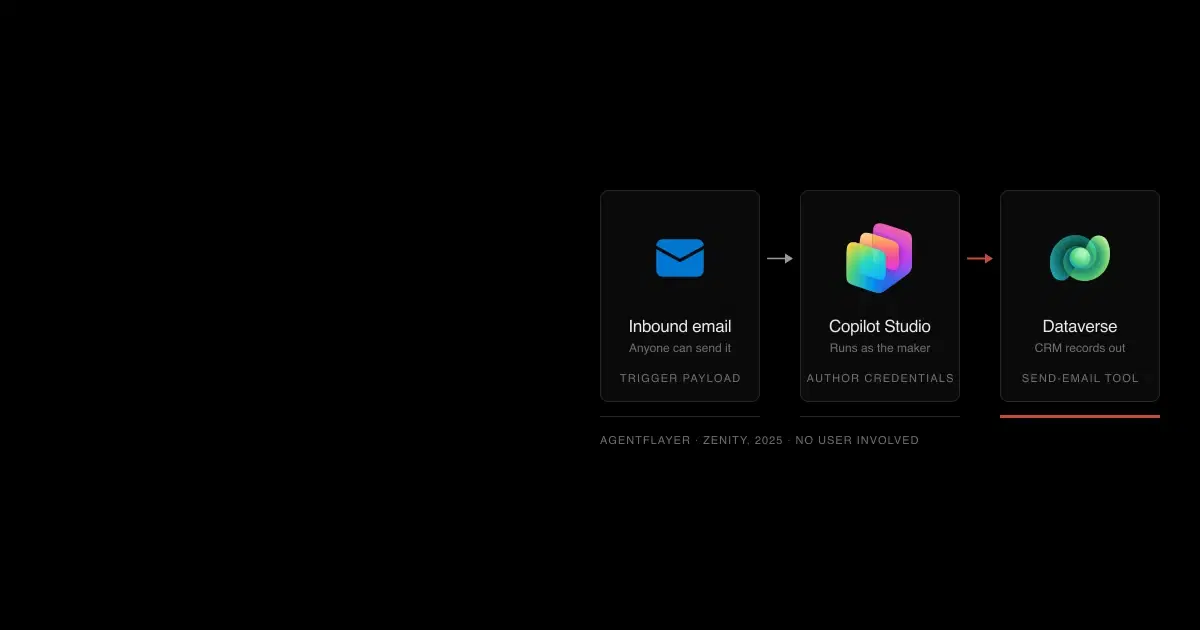
Several Agent Builder knowledge sources contain text written by outsiders: inbound email, Teams chats with external participants, meeting invitations, and public websites. Microsoft's own extensibility guidance warns that an attacker who controls such content "might be able to craft a message payload that causes your agent to behave in a way that the attacker controls," and tells builders to "design the declarative agent with the possibility of breach in mind" (data, privacy, and security for extensibility).
Microsoft runs jailbreak and cross-prompt injection (XPIA) classifiers, but says they "may not be available in all Microsoft Copilot scenarios." Our IPI Bench research shows why classifiers alone aren't enough. When an outsider added one to three records through email, calendar invitations, or public posts, frontier models carried out the injected objective in 4.8% to 38.5% of single attempts, depending on the model, and far more often with repeated attempts. IPI Bench measured models in an emulated company, not Agent Builder, but the input channels are the ones these agents read.
Read-only agents limit the damage. The risk grows once an agent can act:
- Email actions. Declarative agents built with pro-code tools can use the
EmailActionscapability, added in July 2026, which covers deleting mail, creating inbox rules, setting auto-replies, and "supervised send." Microsoft notes that scope restrictions set on theEmailcapability "do not apply toEmailActions" (manifest schema 1.8). Inbox rules and auto-replies are familiar tools in mailbox takeovers, so treat any agent that reads inbound mail and holds these actions as high risk. Agent Builder doesn't exposeEmailActionstoday, but Microsoft's Agent Builder roadmap lists Office actions such as sending email and booking meetings. - Scheduled prompts. Once rolled out, a licensed user's agent can run on a schedule with nobody watching, reading whatever its knowledge sources contain at run time. Purview's audit activity list includes
ScheduledPromptCreated,ScheduledPromptDeleted, andScheduledPromptExecute, the likely trail for these runs; confirm the events in your tenant. - Plugins. Copilot asks before sending data to a plugin for the first time. After that, read-only tools run without confirmation, modifying tools ask, and plugin developers can override those defaults. Copilot can render URLs from action responses as links without checking them against the plugin's declared domains (plugins overview), which gives injected content a way to carry data out in a link.
- External email in DLP. Purview's DLP location for Microsoft 365 Copilot has a preview condition, "Email is received from > External users," with the action "Prevent Copilot from processing content." Microsoft positions it as a way to reduce prompt injection risk (DLP for Copilot). It checks only the sender's domain against your accepted domains, not the message body, and a Microsoft representative noted that an external email forwarded by a colleague counts as internal (Microsoft Security Community, October 8, 2026).
- External sender tagging. For CVE-2026-55145, an Outlook Copilot tampering flaw, Microsoft names external sender tagging (
Set-ExternalInOutlook) as the customer control that lets it isolate untrusted mail before Copilot processes it. If your tenant hasn't enabled it, that's a cheap first step.
The practical rule: don't pair outsider-written knowledge with write actions in the same agent. Where both are needed, require confirmation for every write and test the agent with injected messages before sharing it widely.
How do you find every agent in your tenant?#
The agent registry under Microsoft 365 admin center > Agents > All agents > Registry includes Agent Builder agents, listed with the publisher type "Shared by creator." It shows tiles for agents without owners and unmanaged agents, filters by data source (including "Embedded knowledge"), and exports to CSV with more than 30 fields, including each agent's instructions.
Know its blind spots. Agent Builder drafts don't appear in the registry, only Copilot Studio drafts. The Data & tools tab can be empty, because the admin center doesn't have that information for every agent. And registry counts won't match the Microsoft 365 Copilot agents usage report, which covers a narrower set of apps.
SharePoint's agent access insights report how agents read SharePoint and OneDrive content and let you apply access controls from the results.
Code source: Monitor agent access to SharePoint and OneDrive
Start-SPOM365AgentAccessInsightsReport -ReportPeriodInDays 28
Get-SPOM365AgentAccessInsightsReport
Export-SPOM365AgentAccessInsightsReport -ReportId <ReportId> -Action Download
Microsoft Defender also inventories agents under Assets > AI agents. Since July 1, 2026, Defender's agent discovery, posture, and threat detection require an Agent 365 license. Our guide to Defender's agent discovery explains why an inventory entry doesn't establish protection.
Code source: Discover AI agents in Microsoft Defender
AgentsInfo
| summarize arg_max(Timestamp, *) by AgentId
| where LifecycleStatus != "Deleted"
How do you audit Agent Builder activity?#
Conversations with agents appear in Purview Audit (Standard) as CopilotInteraction records. Microsoft's audit schema includes the fields an investigation needs:
| Field | What it tells you |
|---|---|
AgentId, AgentName, AgentVersion | Which agent handled the prompt |
AccessedResources | Files and sites used, with SensitivityLabelId and an XPIADetected flag |
Messages[].JailbreakDetected | Whether a jailbreak attempt was flagged |
AISystemPlugin | BingWebSearch when web search was used |
AppHost | Where the conversation happened, such as Teams or Outlook |
Admin actions are logged too, including BlockedAgent, DeployedAgent, DeletedAgent, and UpdatedTenantSettings. Microsoft's audit activity list doesn't include an operation for a user creating an Agent Builder agent or turning on org-wide sharing, so track those changes through scheduled registry exports. For collecting prompts and responses at scale, see our guide to the Copilot interaction export and audit logs.
What do Agent 365 and Entra Agent ID add for Agent Builder?#
Agent 365 became generally available on May 1, 2026. Microsoft lists it at $15 per user per month, or as part of Microsoft 365 E7 at $99 per user per month (Agent 365 plans). The service description separates what you already have from what the license adds:
| Included with Microsoft 365 | Requires Agent 365 or E7 |
|---|---|
| Agent registry inventory | Policy templates |
| Block, delete, approve, deploy, reassign owner, pin | Full observability, risk signals, and the Security tab |
| Condition-based lifecycle rules | Tenant-wide control over which tools agents can use |
| Syncing agents from external platforms | Registry Graph API |
| Entra Conditional Access and ID Protection for agents | |
| Purview agent-level controls and Defender agent protections |
Microsoft is also extending basic usage and activity insights to tenants without Agent 365, rolling out from late October to late November 2026 (MC1506727).
For Agent Builder specifically, identity-based features have little to grab. Agent 365's "Apply template" rule evaluates only agents that have an agent identity (agent settings). Conditional Access for agents targets agent identities, blueprints, and agent user accounts (Conditional Access for agents). An Agent Builder agent has none of these, so the only Conditional Access that applies is the policy on the person chatting with it. In Defender, real-time protection documents blocking for Copilot Studio and Foundry tool calls; for Agent Builder it records Prompt Shields block events (real-time protection).
Our reading: for Agent Builder agents, Agent 365 is worth buying mostly for detection, observability, and registry risk signals. Identity controls should be applied to the people who use the agents. Ordinary CopilotInteraction auditing doesn't need Agent 365.
Agent Builder governance checklist#
| Area | Setting and path | Suggested starting point |
|---|---|---|
| Publishers | Agents > Settings > Agent and plugin access | Allow Microsoft and your organization; review external publishers before enabling |
| Sharing | Agents > Settings > Sharing | Specific users or groups, then audit agents shared before the change |
| Distribution | Agents > All agents > Requests | Use catalog submission for agents meant for wide use; check knowledge sources and the description |
| Work data for unlicensed users | Pay-as-you-go billing policy | Limit the security group to teams that need work-data agents |
| Web grounding | "Allow web search in Copilot" policy | Decide per group; the policy overrides the builder toggle |
| Sensitive sites | Restricted Content Discovery or restricted access control | Apply to sites that must not ground agents |
| Labels | Purview sensitivity labels | Keep extract rights narrow on labels for files that may be uploaded to agents |
| DLP | Purview DLP location "Microsoft 365 Copilot and Copilot Chat" | Block processing of labeled content; test the external-email condition in preview |
| Write actions | Agents > Tools > Registry | Review plugins, MCP servers, and email actions before allowing them |
| Review cadence | Registry export | Monthly: ownerless agents, org-wide shares, agents with embedded knowledge |
Agent Builder security FAQ
Common admin questions about restricting, sharing, and auditing Microsoft 365 Copilot Agent Builder agents.
- Can I stop users from creating agents but still let them use approved agents?
Not with a dedicated setting, as of November 6, 2026. The User access setting under Agents > Settings in the Microsoft 365 admin center limits who can access and install agents at all, so it also removes approved agents. Restrict org-wide sharing, scope the pay-as-you-go billing policy, and apply Restricted Content Discovery to sensitive sites to limit what new agents can reach and how far they spread.
- Do Agent Builder agents respect SharePoint permissions?
Yes for SharePoint, OneDrive, email, and Teams knowledge: answers are limited to what the person chatting can access, and sensitivity labels apply. Uploaded files are the exception. Anyone who can use the agent can read them, and Information Barriers aren't enforced on them. Auto-shared SharePoint knowledge also grants recipients real file permissions.
- Do Agent Builder agents get a Microsoft Entra Agent ID?
No. Microsoft's Copilot Studio identity documentation says Agent Builder agents currently don't use app registrations or Agent IDs. Copilot Studio and Foundry agents do. Conditional Access for Agent Builder use therefore comes from the policies on the users who run the agents.
- Is Agent Builder the same as Copilot Studio Lite?
Yes. Microsoft has called the same tool the Copilot Studio agent builder, Copilot Studio Lite, and now Agent Builder in Microsoft 365 Copilot. It builds declarative agents that run on Microsoft 365 Copilot. Copilot Studio itself is a separate product with Power Platform governance.
- Does blocking an agent remove it from people who already installed it?
Yes. Microsoft says blocking removes the agent from users who installed it. For Agent Builder and Copilot Studio agents, the block applies in Copilot, Teams, Outlook, and other Microsoft 365 apps.
- Do I need Agent 365 to govern Agent Builder agents?
Not for the basics. The agent registry, blocking, deletion, approvals, and owner reassignment are included with Microsoft 365, and Microsoft is adding basic usage insights for tenants without Agent 365. Policy templates, full observability and risk signals, Defender agent protections, and Purview agent-level controls require Agent 365 or Microsoft 365 E7.
- Does Entra's "Users can create agent blueprints" setting stop Agent Builder?
No. That Microsoft Entra setting, on by default from November 4, 2026, controls who can create agent identity blueprints for Entra-registered agents. Agent Builder agents don't use Entra agent identities, so turning it off doesn't stop anyone building them.
How General Analysis helps#
General Analysis tests Microsoft 365 agents through the channels an outsider can reach: email, meeting invitations, shared documents, and web pages. Automated AI red teaming runs those prompt injection campaigns against your agents before they're shared broadly, and AI detection and response connects agent activity to the downstream actions that matter. For the same review on other Microsoft platforms, see Copilot Studio security and Microsoft Foundry agent security.