
A Copilot audit record can identify the user and the document involved in an interaction without giving an investigator the words exchanged. If the investigation needs the prompt and response, another CSV export of the same event will not fill that gap. Microsoft's Copilot audit schema describes message identifiers; its Interaction Export API provides a content collection path.
Collect activity and content independently, then reconcile what each source returned. The design below follows Microsoft documentation reviewed on September 9, 2026; we have not run it against a customer tenant.
Choose the evidence source before building the collector#
The sources answer different questions:
| Evidence source | Use it to answer | Boundary to preserve |
|---|---|---|
| Purview Audit | Who interacted, in which app, and which resources were referenced? | Activity metadata and message IDs do not supply the message body. |
| Graph Interaction Export API | What recorded prompts and responses can we retrieve for this user? | Its supported population is narrower than every product carrying the Copilot name. |
| Purview eDiscovery | What relevant AI content is available in the user's mailbox? | Search scope and retention affect the evidence you can collect. |
Microsoft documents Copilot auditing under Audit Standard when organization auditing is enabled. Its current eDiscovery guidance identifies mailbox item classes for Copilot content, including a separate Copilot Studio class. The export endpoint explicitly excludes Studio agents. Keep that workload on its own collection path.
For organizations collecting evidence across vendors, our Claude Compliance API guide covers Anthropic's different capture and retention model. For personal accounts and unmanaged tools outside the approved tenant, start with the shadow AI detection guide.
See how your AI systems hold up under real attacks
General Analysis maps AI applications and agents, red teams prompts, retrieval, tools, MCP servers, browser actions, permissions, and business workflows, then turns findings into evidence your team can reproduce and retest.
Establish scope and application access#
Start with an approved list of user IDs, the tenant, applications, and investigation period. The export endpoint takes a user ID. Automatically discovering those users requires a separate decision about directory access.
The required application permission is AiEnterpriseInteraction.Read.All, which needs administrator consent. Microsoft's permission reference describes access to all AI enterprise interactions. A per-user request URL does not make this a per-user permission grant. Restrict who can operate the collector and read its output.
Use the app-only authentication flow: register the application in Microsoft Entra ID, configure its application permission, obtain admin consent, and acquire a Graph access token through the approved workload credential. Separate that identity from any identity authorized to delete evidence. Keep tokens out of command logs and exported records.
The endpoint reference requires a valid Microsoft 365 Copilot license with the Microsoft Copilot with Graph-grounded chat service plan. Check the users being collected. The interaction-history resource documentation also limits results to experiences that write to that service; personal Microsoft accounts are excluded. Record those exclusions alongside the user list.
Use the documented v1.0 route. Some text renderings of the reference display both routes and a beta warning together. The MicrosoftDocs source places the warning under the beta pivot and the v1.0 example under its own pivot. Do not silently switch a collector to beta to work around an error.
Collect bounded windows and preserve retries#
The following request adapts Microsoft's date-filter example. Supply a user ID and an app-only token through your credential workflow. It is an example for an authorized collector, not a command we executed during this research.
Code source: Microsoft's getAllEnterpriseInteractions request examples.
curl --fail-with-body --silent --show-error --get \
  "https://graph.microsoft.com/v1.0/copilot/users/${COPILOT_USER_ID}/interactionHistory/getAllEnterpriseInteractions" \
  --header "Authorization: Bearer ${GRAPH_ACCESS_TOKEN}" \
  --data-urlencode '$top=100' \
  --data-urlencode '$filter=createdDateTime gt 2026-09-07T00:00:00Z and createdDateTime lt 2026-09-08T00:00:00Z'
Both date boundaries are required when filtering by createdDateTime; Microsoft recommends $top=100. The endpoint does not support delta queries. This request retrieves a page, so it is only the starting point for collection.
Follow Microsoft's paging guidance: consume the complete @odata.nextLink URL when returned, continuing until it is absent. Do not rebuild the URL from its token or stop because a page contains fewer than 100 records. For throttling, honor the documented Retry-After response; repeated immediate requests make recovery worse.
For a polling collector, we recommend keeping a completion record for each user and requested window. Save every page durably before marking that window complete. If a later page fails, retain the earlier pages and mark the window incomplete. Replaying a window should be safe.
The example uses strict gt and lt boundaries. Adjacent windows with the same boundary can miss records exactly on that timestamp. Overlap windows, deduplicate, and periodically revisit recent completed windows for late arrivals. Choose the overlap and revisit period from observed collection behavior; this guide does not assume a delivery-latency guarantee.
Preserve raw responses plus tenant ID, requested user ID, collection time, API version, and filter. Retain the native message id and etag when building your deduplication key so a later version can be kept. That provenance lets an investigator distinguish a repeated fetch from a changed record.
Reconcile messages without inventing a join#
Graph's aiInteraction schema supplies requestId to group a prompt with its response and sessionId for conversation context. interactionType distinguishes a user prompt from an AI response. Preserve the body type and attachments, too; reducing each object to one text field can discard material needed for review.
Purview's audit schema supplies CopilotEventData.Messages and ThreadId. Its examples use Id and isPrompt; newer audit documentation also displays ID and IsPrompt. Normalize known field spellings in your parsed view while retaining the original payload.
Our proposed reconciliation procedure starts with tenant and user identity, then compares message IDs within the relevant conversation. Use app and time as supporting context. Validate this mapping against known interactions in each surface before treating it as a reliable join. Neither similar timestamps nor matching row counts establish identity.
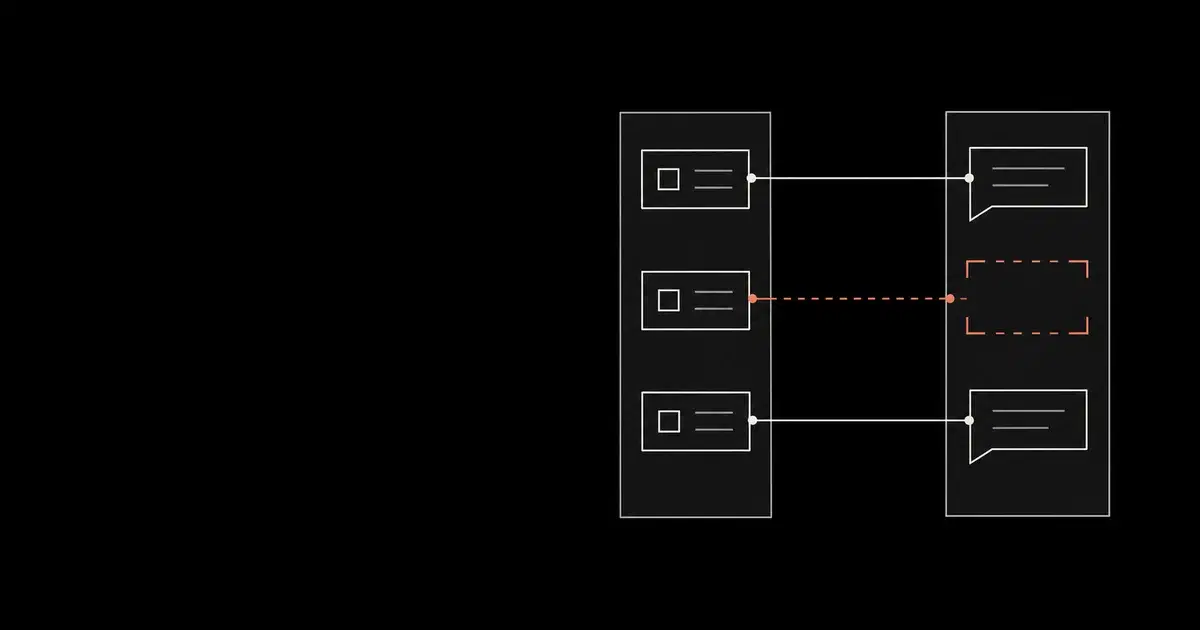
For example, in a hypothetical investigation, an audit event references a prompt and two response messages. The collector has the prompt and one response. Record a partial match with the missing message ID. Do not collapse the event into a single "conversation collected" flag. Microsoft notes that one audit event can contain multiple responses.
Keep unresolved records in the review queue:
- An audit event without matching content needs a check of licensing, surface coverage, collection failures, filters, and retention.
- Content without matching audit evidence needs a check of the audit search scope, time window, and identity mapping.
- Multiple possible matches need explicit review. A nearest-timestamp guess should remain a candidate match.
An accessed-resource reference identifies a resource involved in the interaction. To establish which passage appeared in the response, retrieve the response. To establish whether a later external action completed, check the downstream application. The resource reference cannot answer either question by itself.
Retention and the handoff to investigators#
Microsoft's Copilot retention guidance warns that messages visible in an AI application do not accurately show whether content remains retained for compliance. Use eDiscovery to verify retained mailbox evidence. Do not infer that an item is unrecoverable just because it disappeared from the chat interface, or promise that the export API exposes every retained copy.
The archive becomes another place where sensitive prompts and responses can be read. Assign an owner to its access and retention policies. Keep full message content in a restricted evidence store; broader monitoring systems may need only identifiers and collection-health summaries. This is our recommended separation of duties.
Before relying on the collector, use benign, known interactions in the authorized pilot to verify each supported app, a multi-page retrieval, replay after failure, and a partial message match. Record which surfaces were checked and which remain unverified. Hand investigators the evidence together with the collection window, unresolved records, and exclusions. They need those limits to decide what the record supports.
Frequently asked questions
- Why are prompts missing from my Copilot audit export?
The Copilot audit schema records message identifiers and activity metadata. Retrieve message content through the Interaction Export API for supported interactions or through Purview eDiscovery. Changing the CSV columns does not turn a message identifier into prompt text.
- Does the Interaction Export API cover Copilot Studio agents?
The getAllEnterpriseInteractions reference explicitly excludes interactions in agents created by Copilot Studio. Purview documents a separate Copilot Studio item class for eDiscovery; verify the relevant collection path for that workload.
- Does a successful export prove complete coverage?
No. Check the user population, licensing, recording surface, time range, pagination, collection failures, and retention. Keep unmatched audit and content records visible until you can explain them.