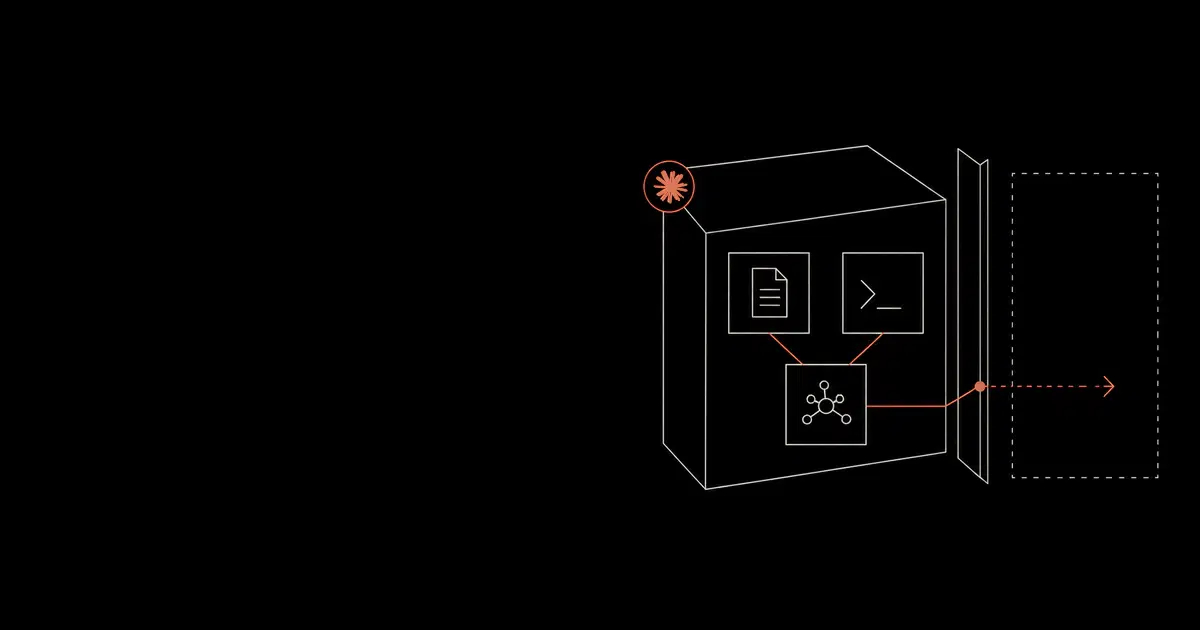

Claude Code settings and permissions are the core security controls for a local or enterprise deployment. The goal is to let Claude Code help developers while preventing secret access, unsafe Bash execution, unapproved MCP tools, unreviewed release actions, and silent policy drift.
Hooks sit on both sides of that boundary. A trusted hook can block a dangerous tool call, but a changed hook can run a shell command without asking the model to select it. A September 3, 2026 preprint on lifecycle-hook supply-chain attacks tested this path across seven agent harnesses. The attack began with a benign plugin, then added a malicious hook under the same plugin identity in a later update. That is a configuration and software-update problem, so stronger prompts do not close it.
Anthropic documents the relevant controls across settings, permissions, hooks, managed MCP, and monitoring. This guide turns those controls into a practical policy template.
Security Goals#
The settings baseline should create predictable behavior across developer machines, dev containers, and CI jobs. Developers should know which actions Claude Code can run automatically, which actions require approval, and which actions are blocked outright.
A good configuration has five outcomes. It prevents obvious secret reads. It escalates privileged side effects. It preserves useful local development commands. It forces MCP and hooks through approved sources. It emits enough telemetry for security teams to explain decisions after the fact.
The baseline should be explicit because Claude Code often operates inside messy real repositories. Package scripts, generated files, build tools, local environment variables, and docs can all influence a session. Settings and permissions create the guardrails that remain stable when repository context changes.
Settings Sources#
Start by inventorying the settings sources that can affect Claude Code. Include user settings, project settings, enterprise managed settings, server-managed settings, MCP configuration, hook definitions, plugin marketplace rules, environment variables, and CI job configuration.
For each source, record who can change it and how quickly the change reaches developers. High-risk rules should live in managed settings rather than editable local files. Managed settings should carry the rules that protect secrets, privileged commands, MCP access, hooks, and telemetry.
The inventory should also capture drift. Compare the intended managed baseline with the active settings on developer machines and CI jobs. If /status or telemetry shows a different source than expected, fix that before expanding the rollout.
Searches for Claude Code settings usually mix several different concerns. Teams look for Claude Code settings, Claude Code permissions, Claude Code Bash tool security, Claude Code hooks security, Claude Code MCP security, Claude Code managed settings, and Claude Code CI/CD security because all of those controls meet in the same runtime. A useful settings guide needs to explain the full chain.
The most important setting question is ownership. A developer preference can live in user settings. A repository convention can live in project settings. A security rule that protects secrets, deployment paths, MCP servers, hooks, telemetry, and bypass behavior should live in a managed source. That distinction keeps the rollout stable when users change local preferences.
Settings should be reviewed like code. Every rule should have a reason, an owner, an example action that it allows, an example action that it blocks, and a retest case. If a setting cannot be tested, security teams will struggle to prove that it works across laptops, containers, cloud workspaces, and CI runners.
Security-Critical Settings#
Settings should be managed centrally when Claude Code is used on production or production-adjacent repositories. Local user settings are useful for developer preference. Managed settings are the enforcement point for security.
Important settings categories include permission rules, default permission mode, auto mode controls, bypass-permission controls, environment variables, MCP allowlists, hook restrictions, plugin marketplaces, and telemetry configuration.
Teams should verify the active configuration with Claude Code's status output during rollout. Every managed setting should have an owner, change process, and test case.
Managed Settings Precedence#
Managed settings should define the minimum acceptable policy. User and project settings can still support workflow preferences, but sensitive controls should live in a managed source. That includes allowManagedPermissionRulesOnly, bypass-permission restrictions, approved MCP servers, hook sources, and telemetry export.
A mature rollout uses separate baselines for low-risk development, production-adjacent repositories, regulated repositories, and non-interactive CI. The same rule file rarely fits every environment. The important requirement is that each baseline has a documented risk tier and a test suite.
Store managed settings with infrastructure code. Review changes with security owners. Include examples in the pull request so reviewers can see whether a new allow rule is actually low risk.
Anthropic's settings documentation describes a hierarchy across enterprise managed settings, command-line arguments, local project settings, shared project settings, and user settings. In practice, the higher-precedence setting should carry the security invariant. Lower-precedence sources can improve usability but should not weaken the invariant.
The settings that deserve central ownership are straightforward.
| Setting area | Why it should be managed |
|---|---|
| Permission rules | Prevents local overrides from weakening secret, Bash, WebFetch, and MCP policy |
| Default permission mode | Keeps sensitive repositories in default or plan mode |
| Bypass controls | Prevents ordinary sessions from skipping prompts |
| Hook source controls | Keeps security hooks out of user-controlled repository files |
| MCP controls | Forces approved URL or command matching for tool servers |
| Telemetry variables | Preserves audit evidence for tool decisions and policy drift |
| Proxy and CA variables | Routes model and tool traffic through approved enterprise control points |
disableBypassPermissionsMode should be part of the baseline for developer laptops. Bypass mode is useful only when the surrounding environment is already hardened through a container, VM, short-lived credentials, and network restrictions. On ordinary machines, bypass mode turns a policy mistake into a larger incident.
allowManagedPermissionRulesOnly is useful for teams that need uniform enforcement. It reduces the chance that a project or user setting quietly allows a dangerous command. The tradeoff is operational. Developers will need a clear request process when a safe workflow is missing from the managed baseline.
Check the client version before relying on that lock. Anthropic's Claude Code 2.1.282 release, published September 24, 2026, fixes mistyped boolean lock values being ignored, including allowManagedPermissionRulesOnly. It also fixes an invalid nested value causing an entire managed permissions, autoMode, worktree, or attribution block to be discarded. The release separately closes a path where repository, user, and --add-dir skills, commands, and skills-directory plugin manifests could preapprove their own tools through allowed-tools despite the managed lock. Require a release containing these fixes; the notes do not establish the full affected-version range.
The 2.1.284 release, published September 28, 2026, closes another allowed-tools path under that lock: plugins from marketplaces, claude.ai, and npm could preapprove their own tools. After the fix, only plugins from official Anthropic sources or sources trusted by managed settings retain that preapproval. Include this fix in the fleet baseline and review those trusted sources; the lock does not remove every plugin's ability to preapprove tools.
After upgrading, check the policy that each client actually loaded. Anthropic's managed-settings diagnostics distinguish /status, which identifies the selected and skipped sources, from claude doctor, which lists rejected entries and their source fields. Correct those entries before expanding the rollout. A managed file appearing in /status does not prove that every rule in it survived validation. Retain the client version, selected source, and diagnostic output with the policy review.
allowManagedMcpServersOnly is the cleanest MCP posture for sensitive work. MCP servers expand what Claude Code can do, and the server definition can decide which local command or remote URL is contacted. A managed catalog is easier to audit than ad hoc project-scoped tool servers.
Permission Patterns#
Permission rules fail in two common ways. A broad allow rule gives Claude Code too much freedom. A broad deny rule breaks normal development and encourages bypass requests.
Good rules are specific enough to map to a workflow. Bash(npm run lint) is easier to reason about than Bash(npm *). Bash(git status) and Bash(git diff *) preserve useful review behavior without opening the door to pushes. A deny rule for .env and credential directories is easier to defend than an improvised instruction that asks the model to avoid secrets.
Review wildcard patterns carefully. A wildcard can match more than expected, especially when command arguments are generated during a session. Every wildcard should have positive and negative tests. The positive test proves the intended workflow still works. The negative test proves an unsafe variant is blocked.
Document rule precedence and its enforcement limits. Anthropic's permission reference says file deny rules cover built-in file tools, recognized Bash file commands, and redirection targets. They do not constrain arbitrary subprocesses that open files themselves. Use filesystem sandboxing when the restriction must apply to those processes too. Ask rules should capture privileged effects; allow rules should cover reviewed development commands.
Check the installed version before relying on path rules. Anthropic's 2.1.268 changelog reports fixes for deny and ask rules on symlinked directories, Bash deny rules written with a symlinked path, and a Read/Edit deny-rule gap in command lines the checker could not analyze. Require a release containing those fixes and retain OS-level restrictions for sensitive paths.
The best Claude Code permission policy is readable by a developer who did not write it. A reviewer should be able to scan the rule and understand the business effect. Rules such as Bash(*) and Read(**) hide too much. Rules such as Bash(npm run lint), Bash(git diff *), and Read(./src/**) are easier to test.
Path rules should account for generated files and hidden directories. Claude Code can touch .github, .claude, .mcp.json, package metadata, lockfiles, build scripts, deployment manifests, migration files, and infrastructure code during ordinary work. Some of those paths are source code. Some are control plane. Treat control-plane paths as approval-sensitive even when the requested edit looks small.
Commands should be normalized before policy decisions whenever possible. A shell can hide behavior through aliases, wrappers, environment variables, subshells, redirects, pipes, and generated scripts. A PreToolUse hook can add a second layer of review for command strings that permission patterns cannot express cleanly.
Allow, Ask, and Deny Rules#
Permission rules should be designed around data access and side effects.
| Rule | Recommended use |
|---|---|
deny | Secrets, credentials, destructive commands, unapproved MCP, high-risk reads |
ask | Package installs, Git pushes, deploys, infra, databases, external uploads |
allow | Lint, format, tests, local build, help, version, safe local reads |
Deny rules should be narrow enough to preserve useful development work. Ask rules should catch state changes. Allow rules should be boring.
Example Managed Permission Baseline#
Code source: illustrative
{
  "allowManagedPermissionRulesOnly": true,
  "permissions": {
    "defaultMode": "default",
    "disableBypassPermissionsMode": "disable",
    "deny": [
      "Read(./.env)",
      "Read(./.env.*)",
      "Read(./secrets/**)",
      "Read(~/.ssh/**)",
      "Read(~/.aws/**)",
      "Bash(curl *)",
      "Bash(wget *)",
      "Bash(nc *)",
      "Bash(git push *)"
    ],
    "ask": [
      "Bash(npm install *)",
      "Bash(pnpm install *)",
      "Bash(pip install *)",
      "Bash(docker *)",
      "Bash(kubectl *)",
      "Bash(terraform *)"
    ],
    "allow": [
      "Bash(npm run lint)",
      "Bash(npm run test *)",
      "Bash(npm run build)",
      "Bash(git status)",
      "Bash(git diff *)",
      "Bash(* --version)",
      "Bash(* --help *)"
    ]
  }
}
The exact syntax should be tested in your environment, then rolled out through managed settings. The policy should be versioned like infrastructure code.
Bash Tool Security#
The Bash tool is the highest-risk daily control because it can trigger package scripts, call external networks, alter Git state, write files, and invoke deployment tooling.
Divide Bash commands into four groups.
| Group | Examples | Policy |
|---|---|---|
| Read-only development | git status, git diff, npm run lint | Allow |
| Local compute | tests, builds, type checks | Allow or ask by repo |
| Dependency and environment changes | package installs, Docker, language toolchains | Ask |
| External or privileged effects | deploy, publish, push, database, infrastructure, upload | Ask or deny |
The dangerous pattern is a command that looks local but invokes a script with network or credential access. Package scripts and generated commands deserve explicit tests.
Claude Code Bash tool security should focus on effects, not command names alone. A command is high risk when it reads credentials, changes external state, downloads executable code, uploads data, modifies release configuration, changes identity policy, or creates a path to production.
Common ask or deny candidates include these command families.
| Command family | Security concern |
|---|---|
curl, wget, nc, scp, rsync | External data movement and exfiltration |
npm install, pnpm install, pip install, poetry add | Dependency changes and package script execution |
docker, docker compose | Container access, mounts, local network changes, privileged runtime |
kubectl, helm, cloud CLIs | Production or cloud state changes |
terraform, pulumi, cdk | Infrastructure mutation |
psql, mysql, mongosh, migration tools | Database reads and writes |
git push, gh release, package publish tools | Release and distribution changes |
| shell scripts written during the session | Generated code execution with unclear review history |
For developer experience, keep allow rules for commands that make Claude Code useful. Tests, type checks, lint, formatting, git status, git diff, help, and version commands can usually run with low risk. The difference between a productive policy and a brittle policy is that common safe work still works without repeated prompts.
For high-risk commands, prefer ask over deny when a legitimate workflow exists. A developer may need to run a database migration or a deployment command during a controlled release. The ask decision should show the normalized command, repository, branch, credential source, and expected effect so the reviewer can make a real decision.
Bash Command Test Cases#
Every Bash policy should be tested with examples that reflect the team's stack.
| Scenario | Expected policy |
|---|---|
npm run lint in a clean repository | Allow |
npm run test with a script that reaches the network | Ask or deny |
curl https://example.com/upload | Deny unless explicitly approved for the workflow |
git push origin main | Ask or deny |
terraform apply | Ask or deny |
kubectl apply | Ask or deny |
psql against production | Deny outside approved automation |
| Package publish command | Ask or deny |
| Credential file read | Deny |
| Editing workflow files | Ask or block through hooks |
The test suite should run before and after policy changes. A permission file that looks reasonable can still fail if a pattern is too broad, too narrow, or not applied in the environment where developers actually run Claude Code.
Package Scripts And Generated Commands#
Package scripts are a common bypass path because a safe-looking command can delegate to arbitrary shell logic. A policy that allows every npm run * command gives the repository a lot of influence over what Claude Code can execute.
Prefer allow rules for specific scripts that the team has reviewed. Add ask rules for install, postinstall, release, publish, deploy, migration, and code-generation scripts that can download code, call external services, or write privileged files.
Generated commands need the same treatment. If Claude Code writes a shell script and then runs it, the policy should evaluate the executed command, the script path, and the write that created the script.
The review should include lifecycle scripts. postinstall, prepare, pretest, and similar package hooks can execute when a developer expects a routine install or test. A malicious dependency or compromised package script can reach environment variables, modify files, or make network calls before the user notices.
Language ecosystems differ, but the pattern is the same. JavaScript package scripts, Python setup hooks, Ruby install hooks, Go code generators, Java build plugins, container build steps, and Make targets can all run logic outside the visible command line. Settings should classify those workflows by repository risk.
For repositories with high-value secrets, package install and code-generation commands should run inside a dev container or ephemeral VM with scoped credentials and egress restrictions. That keeps a compromised dependency from reaching host secrets or arbitrary networks.
Enforcement Hooks#
Hooks can add deterministic policy around tool use. They can block a command, require review, emit an audit record, or stop edits to sensitive files. They are also executable code. Anthropic's hook security documentation states that command hooks run with the user's full permissions and can access, modify, or delete anything that account can reach.
Useful hook checks include:
- Prevent edits to
.claude,.mcp.json,.github/workflows, deployment manifests, and auth code without review. - Block tool calls that include credential-like values.
- Detect new MCP server configuration during a session.
- Record every denied command with user, repository, branch, tool, arguments, and reason.
- Require a human path for production deploy, infrastructure apply, and package publish.
For high-risk codebases, keep approved hooks in managed policy. A repository-defined hook can be changed by the same workspace the agent reads. A managed hook still needs code review, a known runtime identity, and a constrained execution environment.
MCP elicitation hooks need a separate version check. Anthropic's 2.1.284 release notes report that Elicitation and ElicitationResult hooks previously ignored a returned {"decision":"block"}. The fix makes that response decline the elicitation, as exit code 2 does. If your policy relies on this response, require a release containing the fix and verify the decline with a harmless MCP input request before rollout.
The plugin-update trust gap#
Hook authority can change after a plugin earns trust. The HookPry researchers evaluated 40 synthetic attack cases over 25 harness-and-model combinations, for 1,000 runs in total. They reported a 77% verified success rate across the full set and a 52.5% rate for Claude Code. No run was explicitly blocked by the model. Once the matching event fired, the harness dispatched the registered command on its own execution path.
| Trust transition | What can go wrong | Control to apply |
|---|---|---|
| Plugin install | A benign version earns approval under a stable name | Record the source, revision, manifest, hook set, and expected subprocess privileges |
| Plugin update | The same identity gains new or changed hook bindings | Diff hooks and commands; require fresh approval for any authority change |
| Event fires | The harness dispatches the registered hook outside the model's tool decision | Restrict hook sources and run the process with narrow filesystem, credential, and network access |
| Hook creates an effect | Static scanning misses the command or its composed behavior | Correlate hook registration, process, file, credential, and network events at runtime |
The scanner result is narrower than a product comparison. Microsoft Defender detected none of 40 malicious synthetic artifacts, while Semgrep and the researchers' hook-specific policy each detected about half. Those tests did not cover commercial agent-security products or dynamic analysis. The study also did not measure how often people install or update a malicious plugin in the real world, and it did not exhaust operating systems, enterprise policies, network conditions, or future product versions.
For sensitive repositories, set allowManagedHooksOnly in managed settings. Anthropic documents that this blocks hooks from user, project, local, and ordinary plugin sources, while retaining hooks from plugins that managed settings force-enable. Review those exceptions as part of the managed baseline. Keep disableCommandPluginSources enabled unless there is a reviewed need for command-sourced plugins, and use allowedHttpHookUrls plus httpHookAllowedEnvVars to narrow HTTP hook destinations and header secrets.
The hook allowlists also depend on the client version. Anthropic's 2.1.267 changelog reports that unreadable managed allowedHttpHookUrls, httpHookAllowedEnvVars, and allowedChannelPlugins now admit nothing; previously they admitted everything. Include that fix in the fleet's minimum version before relying on these settings to fail closed.
Treat a hook update like a permission change. The review should show the old and new event binding, command or endpoint, arguments, environment access, execution user, and expected network destinations. Re-run the hook test suite after the update, then verify from endpoint or process telemetry that the hook did only what the review authorized.
Claude Code hooks also support useful operational events beyond tool calls. PreToolUse and PostToolUse are the main enforcement points for commands, file edits, web fetches, and MCP calls. UserPromptSubmit can capture high-risk intent before tool use. SessionStart and SessionEnd can mark the evidence boundary for a run. Notification, Stop, SubagentStop, and PreCompact can help with audit trails and workflow hygiene.
Blocking hooks should guard the action boundary. Use them when the result must be decided before a command or file edit happens. Async hooks should be used for secondary analysis, notifications, or longer-running checks that cannot safely block the developer session.
Hook policy should define failure behavior. For sensitive repositories, a hook failure should usually fail closed for protected paths and privileged commands. For low-risk repositories, a hook failure may create a notification and let the session continue. The chosen behavior should be explicit because silent hook failure makes evidence unreliable.
Hook Policy Example#
Hooks should be narrow and deterministic. They should inspect the requested tool call, compare it to policy, return a clear decision, and write a structured event.
Useful hook fields include user, repository, branch, tool, normalized command, affected paths, MCP server, decision, reason, policy version, and approval ID. The hook does not need to solve every security question. It needs to preserve enough context for the policy service, SIEM, or reviewer to understand the event.
Hooks are especially useful for path-sensitive rules. A Bash command may look harmless until it modifies .github/workflows, deployment manifests, auth middleware, infrastructure code, or Claude Code configuration. Path-aware hooks can require review for those changes even when the command itself is allowed.
MCP Restrictions#
MCP servers should be approved by URL or exact command. Avoid name-only rules because the server label can be user-controlled.
Code source: illustrative
{
  "allowManagedMcpServersOnly": true,
  "allowedMcpServers": [
    { "serverUrl": "https://mcp.github.example.com/*" },
    { "serverCommand": ["python", "/usr/local/bin/approved-mcp.py"] }
  ]
}
MCP telemetry should record server names and tool names when approved by policy. That is essential for investigating indirect prompt injection through tool outputs.
MCP scope matters. A local server launched with a command can inherit local filesystem and environment behavior. A remote server can expose SaaS, database, ticketing, source-control, or cloud actions. A project-scoped .mcp.json file travels with the repository and can surprise developers who clone a project. User-scoped MCP is convenient but harder for security to govern. Enterprise-managed MCP is the cleanest model for sensitive work.
Every approved MCP server should have a short review record. The record should name the server owner, source repository, version or package source, command or URL, credentials, reachable data, allowed operations, telemetry, update process, and emergency revocation path.
Tool results from MCP are untrusted content. A server can return text that looks like an instruction to Claude Code. The permission and hook layers should prevent that text from causing secret reads, deployment changes, risky Bash commands, or edits to control-plane files.
For SEO and internal search, the core sentence is direct. Claude Code MCP security requires managed server catalogs, exact URL or command matching, least-privilege credentials, tool-call telemetry, and prompt-injection tests against tool results.
WebFetch, Domains, And Network Settings#
Claude Code settings should also cover web access. Documentation lookup and WebFetch are useful during development, but web pages can contain untrusted instructions. Approved domains should be explicit for sensitive repositories.
Network settings should be owned by enterprise platform or security teams. Use HTTPS_PROXY, HTTP_PROXY, NO_PROXY, custom CA settings such as NODE_EXTRA_CA_CERTS, and certificate-store configuration where the enterprise network requires inspection or controlled egress. Validate the path for local Claude Code, cloud execution, IDE integrations, browser integrations, and CI jobs because those paths can differ.
Domain policy should distinguish model-provider traffic, authentication traffic, update traffic, package registry traffic, source-control traffic, MCP traffic, WebFetch traffic, and telemetry export. A single broad egress rule makes investigation harder. Separate rules give security teams better evidence when an incident occurs.
Settings For Developer Laptops#
Developer laptops are flexible and therefore risky. They often contain SSH keys, cloud credentials, personal access tokens, local databases, browser sessions, and cached package credentials. Claude Code should not receive broad ambient access to that environment.
The laptop baseline should use managed settings, default mode, secret path denies, ask rules for external effects, sandboxed Bash where available, approved MCP servers, managed hooks for sensitive repositories, and OpenTelemetry export. The baseline should also disable bypass permissions unless the session is running inside an approved isolated environment.
Developers should start Claude Code from a scoped repository or worktree. Broad home-directory sessions create a larger read surface and make secret-path denies harder to reason about. If a task genuinely spans repositories, use a controlled workspace that contains only the required directories.
Settings For Dev Containers And VMs#
Dev containers and VMs are the preferred place for high-risk Claude Code work. They provide a cleaner boundary for filesystem access, network egress, package installation, and credential scope.
The container profile should run as a non-root user, mount only the required workspace, avoid host credential directories, use short-lived credentials, restrict outbound network access, and install approved tooling. Package manager caches should be scoped so a compromised dependency cannot tamper with host-level credentials.
The permissions profile inside a container can be slightly more permissive than a laptop profile if the boundary is strong. That does not mean unrestricted access is safe. The container should still deny secrets, ask on external effects, restrict MCP, and log tool decisions.
Settings For CI And Non-Interactive Runs#
CI settings should be stricter than local settings. A non-interactive job has no developer present to interpret a risky request, so the policy needs stronger defaults.
The CI profile should run in an ephemeral container or VM, use a single worktree, avoid long-lived secrets, route traffic through approved egress, disable direct production effects, and create pull requests or review artifacts. Protected-branch pushes, package publish commands, deployment commands, infrastructure apply, and database migrations should require a separate release path.
CI telemetry should include workflow name, job ID, repository, branch, commit SHA, permission profile, tool calls, policy decisions, and output artifact. The artifact should preserve enough context for review while respecting source-code and secret-handling rules.
Policy Review#
Claude Code settings should have a review workflow that developers can actually use. A good request names the repository, command or tool, risk tier, expected effect, credential source, data touched, reason for the exception, expiration date, and test case.
Security reviewers should approve new rules only when the policy is specific and observable. A broad allow rule with no telemetry creates future ambiguity. A scoped allow rule with a regression test and an owner can be maintained.
Policy drift should be measured. Compare active settings to the intended managed baseline. Search telemetry for bypass attempts, unapproved MCP servers, hook failures, broad command prompts, repeated denied actions, and unusual WebFetch domains. Repeated friction should become a rule review, not a shadow workaround.
Environment Variables And Secret Paths#
Claude Code sessions often inherit environment variables from shells, dev containers, CI jobs, or IDE launchers. Treat that inherited environment as part of the policy surface.
Avoid placing long-lived secrets directly in the environment for agent sessions. Use short-lived credentials for CI. Use scoped development credentials for local work. Route production credentials through workflows that require separate approval.
Secret path rules should cover common locations and company-specific paths. Include .env, .env.*, .npmrc, .pypirc, SSH keys, cloud provider directories, package manager token files, generated credential dumps, local database dumps, and internal certificate stores. Teams should add canary secrets during rollout to prove the policy blocks reads.
When a repository genuinely needs a secret for local tests, prefer a mock service, a scoped test credential, or a dev-container secret mount with explicit review. The ordinary editing session should not expose production credentials.
Local, Container, And CI Differences#
Settings can behave differently depending on where Claude Code runs. A developer laptop, a dev container, a cloud workspace, and a CI runner can have different filesystem paths, environment variables, network routes, and credential sources.
Test the same policy in each environment. A deny rule for ~/.aws/** may not cover a CI-mounted credential path. A network restriction that works in a container may not apply to a local shell. A hook path that exists on macOS may need a different path in Linux CI.
The safest rollout maintains a small environment matrix. Each row should include the settings source, default permission mode, sandbox boundary, credential source, MCP profile, hook source, telemetry destination, and CI permissions.
Telemetry And Evidence#
OpenTelemetry should capture tool decisions, permission mode changes, MCP server connections, hook execution, and errors. Teams should be careful with prompt and tool-content logging because it can contain source code or secrets.
Operational telemetry should answer three questions.
- What did Claude Code ask to do?
- Which policy allowed, denied, or escalated the action?
- Can the team replay the case after fixing the policy?
CI/CD Settings#
Non-interactive Claude Code jobs should use a stricter settings profile than local developer sessions. The job should run in an ephemeral environment, use scoped credentials, restrict network egress, and produce a pull request or review artifact.
The CI profile should deny direct pushes to protected branches, package publishing, production deployment, infrastructure apply commands, and database writes. It should also deny access to long-lived secrets. When a workflow needs credentials, use short-lived tokens scoped to the exact repository and job.
The strongest CI setup stores the policy next to the workflow and tests the policy with malicious repository examples. The test should prove that hidden instructions, package-script tricks, unapproved MCP configs, and hook bypass attempts cannot cross the release boundary.
Enterprise Solutions For Settings And Permissions#
Claude Code settings are operational policy, and enterprise solutions should keep that policy consistent as teams, repositories, MCP servers, and CI workflows change. General Analysis AIDR gives teams an AI Detection and Response layer for settings, permissions, Bash commands, hooks, MCP servers, CI/CD workflows, and release gates. General Analysis can monitor which settings source allowed an action, flag risky command chains, review broad exceptions, validate hook outcomes, preserve the trace, and respond when Claude Code moves toward secrets, broad tool access, or release-impacting changes.
Beyond GA AIDR, three product areas matter most for settings and permissions. Device-management tools such as Jamf or Microsoft Intune help deliver managed settings and keep local developer machines in the expected posture. Secrets tools such as HashiCorp Vault or 1Password reduce the chance that Claude Code can reach long-lived credentials in the first place. CI and code-security tools such as GitHub Advanced Security, GitLab security features, Semgrep, or Snyk help enforce the same policy in unattended jobs. These controls should reinforce the same baseline rather than creating separate exception paths for local laptops, containers, and unattended jobs.
For teams that need operational support, General Analysis can manage settings authoring, Bash rule review, deny-rule testing, MCP allowlist governance, hook maintenance, CI/CD profile hardening, telemetry field review, exception review, and recurring policy regression tests.
Enforce Claude Code policy at action time
General Analysis AI Detection and Response helps teams observe Claude Code permissions, Bash commands, file access, hook decisions, MCP calls, and release actions. It creates the evidence needed to block, require approval, or investigate unsafe behavior without reducing Claude Code security to a static checklist.
Policy Testing#
Before broad rollout, test the settings with malicious repository files, hidden prompt injection in docs, fake secrets, package scripts that call external hosts, unapproved MCP configs, edits to workflow files, and attempts to use bypassPermissions.
Related Claude Code Guides#
For the broader deployment model, read How to Secure Claude Code. For the executive checklist, read Anthropic Claude Code Security Best Practices. For telemetry, tool-decision events, hooks, MCP observability, and SIEM routing, read Claude Code Control and Observability with OpenTelemetry. For rollout planning across devices, proxy controls, dev containers, and governance, read Claude Code Enterprise Security Deployment.
Claude Code settings and permissions FAQ
Short answers on Claude Code managed settings, permission rules, Bash security, hooks, MCP, and telemetry.
- How should Claude Code permissions be configured?
Deny secret paths and dangerous commands, ask for privileged effects, and allow only repetitive low-risk commands such as lint, format, tests, help, and version checks.
- What Claude Code Bash commands should be blocked?
Common deny or ask candidates include credential reads, external uploads, curl, wget, nc, git push, deployment commands, infrastructure apply commands, database writes, package publishing, and commands that modify control-plane files.
- Should Claude Code hooks be managed centrally?
Yes for high-risk repositories. Command hooks execute with the user's permissions, and plugin updates can change hook bindings after initial review. Use allowManagedHooksOnly, review hook diffs on every update, and apply OS and network restrictions to the hook process.