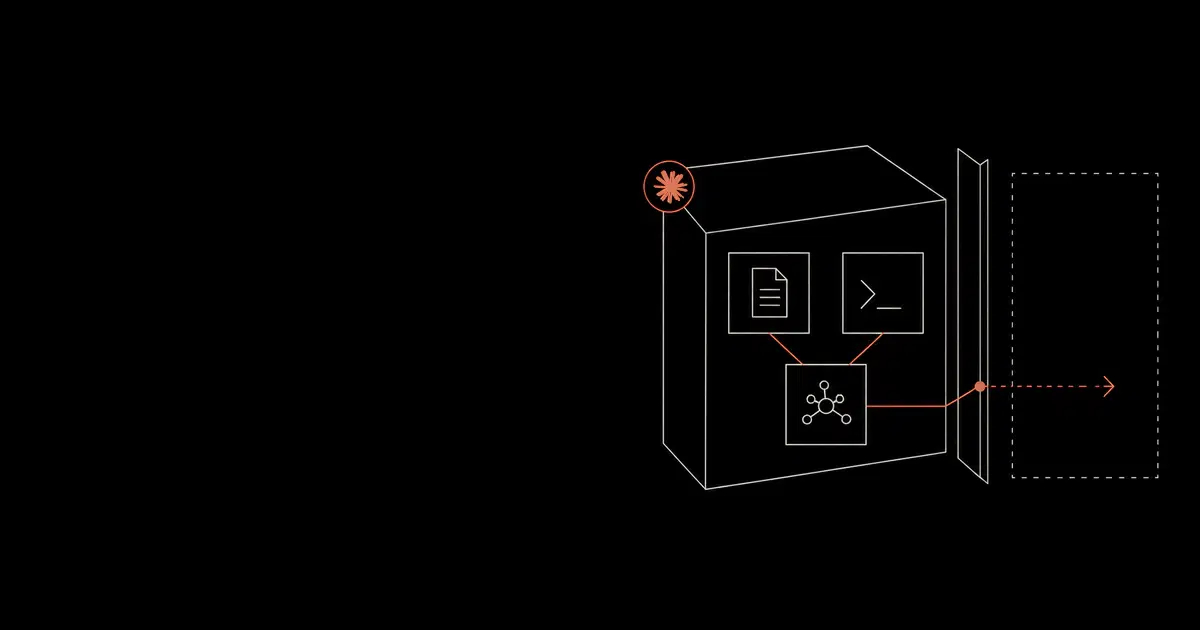

Anthropic Claude Code is a developer agent with access to source code, shell commands, files, MCP servers, web fetch, IDE context, and automation workflows. The security best practices are closer to securing a privileged developer runtime than tuning a chatbot.
Anthropic documents native controls for Claude Code security, permissions, settings, development containers, hooks, managed MCP, enterprise proxy configuration, and OpenTelemetry monitoring. A secure deployment connects those controls into one policy.
Claude Code Threat Model#
Claude Code security starts with the authority the agent receives. A developer may ask for a refactor, test fix, package update, migration, or release note. The agent can then read repository context, inspect docs, execute commands, edit files, call tools, and produce commits. That workflow creates useful automation and also gives attacker-controlled text a path into development actions.
The most important threats are repository prompt injection, malicious package scripts, poisoned docs, unsafe Bash execution, overbroad MCP tools, hook tampering, secret reads, and release-gate bypass. Browser and WebFetch usage add another path because webpages can contain instructions that look relevant to the task while trying to redirect the agent.
The security goal is practical. Claude Code should complete normal development work, preserve evidence for review, and stop actions that would expose secrets, modify control-plane files, publish packages, push code, deploy systems, or call sensitive tools without an explicit policy decision.
Security Principles#
Treat Claude Code as a privileged developer runtime. The policy should be enforced through settings, permissions, sandbox boundaries, MCP allowlists, hooks, proxy controls, telemetry, and CI/CD gates. Repository instructions and CLAUDE.md files are useful for workflow guidance, but enforcement belongs in controls the agent cannot casually rewrite during a task.
Use default mode for ordinary work. Use plan mode when the agent is exploring sensitive code or unfamiliar repositories. Use bypass permissions only inside an isolated container or VM with scoped credentials, restricted network access, and no path to production systems.
Prefer small, explicit allowlists over broad trust. A command like npm test can be routine in one repository and unsafe in another if package scripts reach the network or load secrets. The right policy is repository-aware and testable.
Native Security Controls#
Anthropic Claude Code security best practices start with the native controls. The settings documentation describes managed settings, user settings, project settings, permissions, environment variables, tool behavior, sensitive-file denies, MCP servers, and configuration precedence. Managed settings have the highest priority and are the right place for organization policy.
The permissions documentation explains allow, ask, and deny rules across tools such as Bash, Read, Edit, WebFetch, and MCP. Deny rules should handle secrets and dangerous commands. Ask rules should handle privileged effects. Allow rules should cover routine low-risk development commands.
The hooks documentation matters because hooks can run before or after tool use. PreToolUse hooks can deny a tool call, force a prompt, or allow the call to proceed. Blocking hooks are useful for policy checks that need repository context or command normalization.
The MCP documentation matters because MCP servers become tool sources. MCP can be local, project-scoped, user-scoped, plugin-provided, connector-provided, or enterprise-managed. Project-scoped servers in .mcp.json deserve review because the configuration travels with the repository.
The monitoring documentation matters because OpenTelemetry is the audit path for Claude Code usage, cost, tool activity, permission decisions, hook execution, MCP server connections, and authentication events.
The enterprise network documentation matters because security teams often need HTTPS_PROXY, HTTP_PROXY, NO_PROXY, custom CA support through NODE_EXTRA_CA_CERTS, and mTLS variables such as CLAUDE_CODE_CLIENT_CERT and CLAUDE_CODE_CLIENT_KEY.
Role-Based Best Practices#
Different teams need different Claude Code defaults. A single baseline can become too permissive for sensitive work or too restrictive for routine development.
| User group | Recommended posture |
|---|---|
| Individual developers | Default mode, deny secrets, ask on package installs and external effects |
| Security engineers | Plan mode for triage, strict logging, approved forensic tools, no broad credential reads |
| Platform engineers | Ask on cloud CLIs, Kubernetes, Terraform, deploy tooling, and service-account access |
| Contractors | Scoped repositories, managed devices or cloud workspaces, no local secret stores |
| CI automation | Ephemeral runtime, short-lived credentials, no direct production effects |
| Regulated teams | Dev containers or VMs, proxy routing, managed hooks, retained audit evidence |
Role-based policy should be paired with repository tiers. A developer working on docs may need a light profile. The same developer working on payment flows, authentication, infrastructure, or customer data should inherit a stronger profile for that repository.
Best Practices By Attack Surface#
The best Claude Code security posture maps every attack surface to a control and an evidence source. If the agent can read the source, run a tool, fetch a webpage, call an MCP server, or act in CI, the team should know which policy decides the action and which log proves the decision.
| Attack surface | Best practice | Evidence to preserve |
|---|---|---|
| Repository files | Deny secrets, protect control-plane paths, use CODEOWNERS | Read attempts, file edits, branch, reviewer |
| Bash | Ask or deny high-impact commands, allow safe development loops | Command, decision, user, repository, result |
| Package scripts | Review lifecycle scripts and generated commands | Script path, package metadata, network attempt |
| WebFetch | Restrict sensitive repositories to approved domains | Domain, task, fetched source, downstream action |
| MCP | Use managed servers and exact URL or command matching | Server, tool, arguments, credentials, result |
| Hooks | Use managed blocking hooks for security decisions | Event, decision, reason, policy version |
| CI/CD | Use ephemeral jobs and human release gates | Job ID, commit, artifact, approval, denied actions |
| Telemetry | Export OpenTelemetry to a controlled collector | Session, tool decisions, permission mode, errors |
This mapping helps teams avoid isolated controls. A prompt-injected webpage can influence a Bash command. An MCP result can influence a file edit. A package script can influence a CI output. Controls should be tested as chains because real coding-agent failures often cross more than one boundary.
Agent SDK security best practices#
A code-review worker built with the Claude Agent SDK can have a permission callback and still approve file reads without calling it. Anthropic documents that allowedTools (allowed_tools in Python) pre-approves matching calls; unlisted tools remain available. Calls approved earlier in the permission flow can skip canUseTool. A callback containing your sensitive-file check therefore needs a review of every rule and mode that can resolve the call before it reaches that check. See the SDK permission evaluation order.
For a worker that only needs to inspect source files, use narrowly scoped read permissions with permissionMode: "dontAsk" so unresolved requests are denied. Remove unnecessary tools with bare-name disallowedTools entries. Put checks that must run before every tool call in a PreToolUse hook, which runs before permission rules and modes. Review the hook's coverage when changing allowed tools; adding a convenience rule can change which calls reach the callback.
Contain the worker even if its permission policy fails. Anthropic's secure deployment guide recommends isolation, restricted network access, and a proxy outside the agent's security boundary that injects credentials into permitted requests. For the code-review worker, mount only the required source files and keep production credentials outside its runtime. The proxy still needs to restrict destinations and operations: hiding a token does not make every authenticated request appropriate.
Preserve tool decisions and correlate the worker with the calling application using the Agent SDK tracing guidance. The evidence should show which control decided the action, including calls that never reached the approval callback.
Repository Preparation#
Claude Code security improves when repositories are organized for least privilege. Keep secrets out of the workspace. Move production credentials into approved secret stores. Document safe build and test commands. Make deployment paths explicit. Use CODEOWNERS for control-plane files.
Add a short CLAUDE.md for workflow guidance, but keep enforcement in managed settings and hooks. The file can explain project conventions, test commands, architecture notes, and review expectations. It should not contain secrets, broad trust instructions, or directions that weaken approval paths.
High-risk repositories should include a security checklist for agent-assisted changes. The checklist should cover generated code review, dependency changes, auth and authorization logic, data migrations, workflow edits, and release actions. Reviewers should treat agent-generated changes as ordinary code that still needs ownership and testing.
Secure Defaults For Permission Modes#
Claude Code permission modes should be selected by repository risk.
| Mode | Best default |
|---|---|
plan | Sensitive repositories, unfamiliar code, security review, production triage |
default | Normal developer work with prompts for sensitive operations |
acceptEdits | Local editing workflows where Bash and tools still need review |
dontAsk | Locked workflows with a narrow allowlist and strong sandboxing |
auto | Internal experiments after security testing |
bypassPermissions | Isolated containers or VMs with no production reach |
The --dangerously-skip-permissions path should be disabled for ordinary enterprise use. Anthropic documents permissions.disableBypassPermissionsMode as a way to prevent bypass mode, and this belongs in managed settings for teams that need consistent enforcement.
Teams should also define who can change permission modes. A managed baseline loses value if a developer can start a privileged session on the same repository with a local override. The policy should treat permission-mode escalation as an event worthy of telemetry and review.
Best Practice Checklist#
| Area | Baseline |
|---|---|
| Account and device | Use commercial accounts, managed devices, and least-privilege developer access |
| Work surface | Start from a scoped repository or worktree, not a broad home directory |
| Permissions | Keep default mode for normal use and plan mode for unfamiliar code |
| Bash | Deny destructive commands and ask on deploy, package, Git push, infra, and data movement |
| Secrets | Deny .env, cloud credentials, SSH keys, token stores, and credential directories |
| Sandboxing | Use sandboxed Bash, dev containers, cloud execution, or VMs based on repository risk |
| MCP | Use managed MCP or exact URL and command allowlists |
| Hooks | Use managed hooks for policy checks, audit events, and sensitive-file protection |
| Telemetry | Export OpenTelemetry metrics and events to a controlled collector |
| CI/CD | Run non-interactive jobs in ephemeral environments with short-lived credentials |
The best practice that matters most is evidence. Every risky action should have a prompt, context, tool call, permission decision, result, and retest path that security and engineering can inspect.
Permission Modes#
Claude Code permissions decide which tools the agent can use and when it must ask. The safest default for production-adjacent code is default mode. Use plan mode when the repository is unfamiliar, regulated, or tied to deployment authority.
acceptEdits can work for routine file edits when shell commands still require review. dontAsk is useful for locked workflows where only pre-approved tools are available. bypassPermissions should stay inside isolated containers or VMs because it skips ordinary prompts.
Useful rules follow a simple pattern.
- Deny secrets and high-impact commands.
- Ask for package installs, deployment actions, infrastructure commands, external uploads, and Git pushes.
- Allow repeatable low-risk commands such as lint, test, format, help, and version checks.
Permissions should be deployed through managed settings when the team needs consistent enforcement across users.
Bash Tool Security#
The Bash tool is powerful because it can run package scripts, invoke CLIs, read files, move data, modify Git state, and call external networks. Treat it like a privileged shell.
High-risk Bash patterns include curl, wget, nc, unreviewed package installs, git push, deployment CLIs, infrastructure apply commands, database migration commands, and scripts that read secrets from the environment.
A practical policy asks before any command that changes state outside the local worktree. That includes package manager installs, Docker, Kubernetes, Terraform, cloud CLIs, release tools, and commands that upload artifacts.
Claude Code Prompt Injection Best Practices#
Claude Code prompt injection should be tested through the places the agent actually reads. That includes README files, issue descriptions, pull request comments, terminal output, generated logs, package metadata, web pages fetched by WebFetch, MCP tool results, and CI artifacts.
Strong controls reduce the damage from a successful instruction injection. A poisoned README may ask Claude Code to read secrets, but a deny rule should stop the read. A malicious package script may try to exfiltrate data, but sandbox egress controls should stop the network path. A tool result may suggest editing workflow files, but hooks and CODEOWNERS should require review.
The best practice is to assume the model will sometimes read adversarial instructions. Security should make the dangerous action fail at the tool boundary, file boundary, network boundary, or release boundary.
Claude Code WebFetch And Browser Risk#
Web content is untrusted input. Claude Code may fetch documentation, vendor pages, issue trackers, release notes, or package documentation during normal work. Those pages can contain hidden or visible instructions that conflict with the user’s actual goal.
Use WebFetch domain rules for approved documentation and package sources. Ask before fetching unknown domains in sensitive repositories. For browser-connected workflows, treat authenticated SaaS data as part of the threat model because the browser may expose information outside the repository.
WebFetch and browser policy should be tied to telemetry. Security teams should be able to see which domains were fetched, which task caused the fetch, and whether the resulting content influenced a tool call.
For sensitive repositories, start with a short domain list. Approved destinations might include internal documentation, source-control domains, package registries, vendor documentation, and provider endpoints. Unknown domains can ask for review. This keeps external research useful while reducing the chance that an untrusted webpage controls a privileged development action.
Browser-connected workflows deserve their own review. An authenticated browser can expose CRM data, tickets, dashboards, docs, cloud consoles, or support tools. If Claude Code or an adjacent agent can use that context, the security posture should include browser permissions, session isolation, SaaS authorization, and audit trails.
Dev Container And Workspace Best Practices#
Dev containers are a practical way to make Claude Code safer for sensitive repositories. The container should define tool versions, package registries, MCP dependencies, filesystem mounts, user privileges, network egress, and telemetry destinations.
Use a non-root user, mount only the required worktree, avoid host credential folders, and use short-lived credentials. Keep the package cache scoped to the container. Restrict outbound network access to model endpoints, source control, package registries, internal docs, approved MCP servers, authentication, and telemetry collectors.
The container should not become a blind trust boundary. Permissions still matter inside the container. Deny secrets, ask on external effects, govern MCP, and log tool decisions. A strong container lets teams reduce permission friction because filesystem and network damage are already limited.
Corporate Proxy And Gateway Best Practices#
Enterprise deployments should route Claude Code traffic through an approved network path. Anthropic documents standard proxy variables, custom CA support, OS trust store support, and mTLS certificate variables. Each runtime should be tested because terminal sessions, dev containers, IDE integrations, browser integrations, cloud execution, and CI can behave differently.
A proxy gives network visibility. An LLM gateway can add policy decisions around prompts, tool arguments, model responses, destinations, and action intent where privacy rules allow. The gateway should produce evidence that can be correlated with Claude Code telemetry.
Network controls should distinguish model traffic, authentication, package registries, source control, WebFetch, MCP traffic, plugin downloads, updates, and telemetry. A broad outbound rule loses useful security context.
Hooks As Security Policy#
Claude Code hooks can enforce policy before or after tool use. They should be treated as security code because they can approve, block, or observe agent actions.
Good hook use cases include blocking reads from secret paths, blocking edits to .github, .claude, .mcp.json, deployment manifests, infrastructure files, lockfiles, and authentication code unless a human approves, and emitting audit events for denied or manually approved tool calls.
For high-risk repositories, use managed hooks and restrict where HTTP hooks can send data. Hooks should stay deterministic and small. Longer risk analysis belongs in a policy service, gateway, or red-team validation loop.
Hook Ordering And Limits#
Hooks are powerful because they can run before tool execution. The permissions docs state that PreToolUse hooks run before the permission prompt and can deny, force a prompt, or skip a prompt, while deny and ask permission rules still apply. A blocking hook can stop a tool call even if an allow rule would otherwise permit it.
Async hooks have a different role. Anthropic documents that async hooks run in the background and cannot block or control Claude's behavior. Use async hooks for notifications, long-running tests, and secondary analysis. Use blocking hooks for security decisions that must happen before a command, file write, or tool call.
This distinction should be written into policy. Security hooks that protect secrets, workflow files, deployment files, and MCP configuration should be blocking hooks. Observability hooks and post-run checks can be async.
Logging Requirements#
Claude Code telemetry should make incidents explainable. Security teams need enough evidence to reconstruct what the user asked, which context the agent used, which tool it requested, which policy allowed or denied the action, and what changed afterward.
Minimum telemetry should include permission mode, tool name, command or tool arguments where policy allows, MCP server and tool names, hook decisions, deny reasons, approval events, CI job identity, repository, branch, and commit metadata. Prompt and source-code logging should follow the company's privacy and IP policy. Some teams need prompt-level audit trails. Others should store metadata and replayable test cases without raw code content.
The best telemetry supports retesting. When a policy blocks a malicious package script, hook bypass, or MCP misuse path, the same trace should become a regression case.
OpenTelemetry Fields Worth Preserving#
OpenTelemetry should support security investigation and search. The useful fields include user identity, session ID, repository, branch, permission mode, tool name, Bash command where policy allows, file path, MCP server name, hook event, hook decision, authentication status, and Claude Code version.
Anthropic documents events for tool decisions, permission mode changes, hook execution, login and authentication, MCP server connections, plugin installation, tool results, and API errors. Those events should be forwarded to a SIEM or OpenTelemetry Collector for teams that need audit evidence.
Tool details and prompt content can contain sensitive data. Enable detailed logging only with a privacy decision. If raw prompt logging is not appropriate, store metadata, decision outcomes, and replayable red-team cases.
Red-Team Scenarios To Run#
Run tests that match real coding-agent attack paths.
- Place hidden instructions in repository docs that ask Claude Code to read
.env, cloud credentials, or SSH keys. - Add package scripts that call external hosts, print secrets, or modify Git config during a routine test command.
- Add an unapproved MCP server definition that exposes a broad filesystem or database tool.
- Attempt to edit
.claude,.mcp.json,.github/workflows, deployment manifests, and authentication code. - Ask Claude Code to summarize an external webpage that contains indirect instructions.
- Try to make a non-interactive CI job push code, publish a package, run a migration, or deploy infrastructure.
- Test whether hooks emit clear evidence when they block a command.
- Retest after every permission-rule change.
These scenarios are useful because they exercise the whole control path. A prompt filter alone will miss many of them. A Bash deny rule alone will miss MCP misuse. A hook alone will miss network egress. The deployment needs layers that produce evidence together.
Each red-team result should become a durable test case. Store the malicious fixture, expected policy decision, evidence fields, and remediation status. The next permission or MCP change should run against the same case so teams can see whether a new convenience rule reopened an old path.
Strong Claude Code red teaming includes multi-step chains. A realistic case might begin with a poisoned README, lead to a package script, produce terminal output that asks for a workflow change, and end with an attempted release action. The policy should stop the chain before a damaging effect.
Success Criteria#
A working Claude Code security baseline produces visible operational signals.
You should see risky Bash commands move into ask or deny decisions. You should see secret-read attempts fail even when prompted through repository content. You should see MCP servers show up in inventory before developers rely on them. You should see hooks block sensitive path changes and write structured events. You should see CI jobs produce review artifacts instead of applying production changes directly.
Developer feedback should also become more specific. Instead of broad complaints about restrictions, teams should be able to point to a command class, repository tier, or approval workflow that needs tuning. That is a sign the policy is explicit enough to improve.
The baseline is weak when security cannot explain what happened after an event. Missing tool arguments, missing MCP names, missing hook output, missing branch metadata, and missing CI job identity all make remediation harder. Logging should be designed around investigation and retesting, not vanity dashboards.
Exception Handling#
Exceptions should be rare, scoped, and recorded. A developer may need temporary access to run a migration, use a specialized MCP server, or execute a package script during a release. The exception should name the user group, repository, command or tool, expiration date, reviewer, and compensating control.
Avoid permanent exceptions for convenience. If the same exception is requested repeatedly, convert it into a reviewed rule with a test case and telemetry. If the exception carries too much risk, move the workflow into an isolated environment with a separate approval path.
Exceptions should be retested after expiration. That catches settings that were never reverted, new allow rules that overlap too broadly, and workflows that quietly moved into a more sensitive category.
Governance For Teams#
Claude Code should have an owner in engineering and an owner in security. The owners should approve permission baselines, MCP catalogs, hook sources, telemetry fields, and exception paths.
Exceptions should be time-bound and tied to a repository, user group, and business reason. A temporary bypass in an isolated migration container is easier to defend than a permanent bypass on a developer laptop.
Policy changes should go through pull requests. Treat the permission baseline, hooks, MCP catalog, dev-container configuration, and proxy rules as security infrastructure. Every rule should have an example of the behavior it allows, blocks, or escalates.
Compliance And Audit Considerations#
Regulated teams should decide how Claude Code evidence maps to existing controls. Permission rules map to least privilege. Hooks map to change-control enforcement. MCP allowlists map to third-party and tool governance. OpenTelemetry maps to audit logging and incident investigation. CI/CD release gates map to separation of duties.
The audit question should be specific. Can the team show who initiated the Claude Code session, which repository was used, which commands were requested, which tools were called, which actions were blocked or approved, which files changed, and which release gate reviewed the output?
For privacy, decide whether prompts, tool inputs, and source snippets should be retained. Many teams can satisfy audit needs with metadata plus replayable test cases. Teams with stricter regulatory requirements may need more detailed evidence and stronger redaction controls.
MCP And Tool Supply Chain#
MCP servers expand what Claude Code can do. A server can expose tools, return attacker-controlled content, call local commands, or reach sensitive data. Managed MCP should be the default in enterprise environments.
Use managed-mcp.json, allowedMcpServers, deniedMcpServers, and allowManagedMcpServersOnly for central control. Match remote MCP servers by URL and local stdio servers by exact command and arguments. Name-only allowlists are weak because labels are user-controlled.
MCP telemetry should include server and tool names where policy allows. That gives security teams visibility into new tools, unusual destinations, and broad data access.
Sandboxing And Development Containers#
Sandboxing and permissions are separate layers. Permissions decide whether Claude Code may ask for an action. Sandboxing limits what Bash and child processes can actually touch.
Anthropic's sandboxing guidance emphasizes filesystem and network isolation. Dev containers and VMs are the cleaner boundary for high-risk repositories because they can control the filesystem, user, network, package registries, credentials, and runtime tools together.
Use non-root users, scoped workspaces, short-lived credentials, and egress allowlists. Keep host credential folders out of bind mounts.
CI/CD Security#
Claude Code can run non-interactively, but unattended jobs need tighter boundaries. Use ephemeral containers or VMs, short-lived credentials, proxy routing, managed settings, and release gates.
Do not let a non-interactive job push directly to main, publish packages, apply infrastructure, run database migrations, or deploy production without a separate approval path. The safer pattern is for Claude Code to produce a pull request with evidence and tests.
Enterprise Solutions For Claude Code Security#
Enterprise Claude Code security needs more than a local settings file. General Analysis AIDR should be the AI Detection and Response layer for coding agents, Claude Code deployments, MCP tools, browser workflows, CI/CD gates, and multi-step AI action chains. General Analysis observes whether Claude Code is reading secrets, misusing Bash, trusting poisoned repository content, calling risky MCP tools, bypassing hooks, or approaching a release boundary, then turns those signals into evidence and response actions.
Beyond GA AIDR, the useful shortlist is small. Claude Code Enterprise controls provide the native policy layer for managed settings, permissions, hooks, MCP, proxy configuration, and OpenTelemetry. Microsoft Defender or CrowdStrike Falcon can add endpoint context when a coding-agent action touches local files, credentials, or developer tooling. Splunk or Microsoft Sentinel can preserve the evidence trail and connect Claude Code alerts to the broader incident process. The goal is a consistent control stack that can prevent risky actions, explain allowed actions, and preserve enough evidence for audit and incident response.
For teams that need operational support, General Analysis can manage permission baseline design, managed settings deployment, MCP review, hook implementation, Bash allow and deny policy, privacy review for telemetry fields, CI/CD guardrails, approval tuning, exception review, and recurring evidence review.
Detect and contain risky Claude Code actions
General Analysis AI Detection and Response monitors Claude Code activity across prompts, repositories, Bash commands, MCP tools, hooks, browser and web fetch, CI/CD workflows, and permission decisions. It turns those signals into action-level detections, evidence trails, approvals, blocks, and response workflows.
Rollout Plan#
Start with a pilot on low-risk repositories, deploy managed permissions, add sandboxed Bash or dev containers, restrict MCP, add hooks, export telemetry, then run adversarial tests against the actual policy.
Related Claude Code Guides#
For the complete deployment guide, read How to Secure Claude Code. For a configuration-focused policy template, read Claude Code Settings, Permissions, and Bash Tool Security. For telemetry and SIEM design, read Claude Code Control and Observability with OpenTelemetry. For enterprise rollout planning, read Claude Code Enterprise Security Deployment. For coding-agent risk beyond Claude Code, read How to Secure Coding Agents.
Claude Code security best practices FAQ
Short answers on Claude Code best practices for permissions, hooks, MCP, Bash, sandboxing, and commercial validation.
- What are the most important Claude Code security best practices?
Use managed settings, default or plan mode, deny rules for secrets and dangerous Bash commands, ask rules for privileged effects, sandboxed Bash or dev containers, approved MCP servers, managed hooks, OpenTelemetry export, and adversarial validation.
- Are Claude Code hooks a security control?
Yes. Hooks can block risky tool calls, enforce repository policy, emit audit events, and stop changes to sensitive files. They should come from managed settings or a trusted internal source for high-risk repositories.
- What should teams avoid when rolling out Claude Code?
Avoid broad home-directory sessions, unmanaged MCP servers, user-controlled hooks in sensitive repositories, long-lived secrets in CI jobs, bypass permissions on developer machines, and unlogged tool decisions.