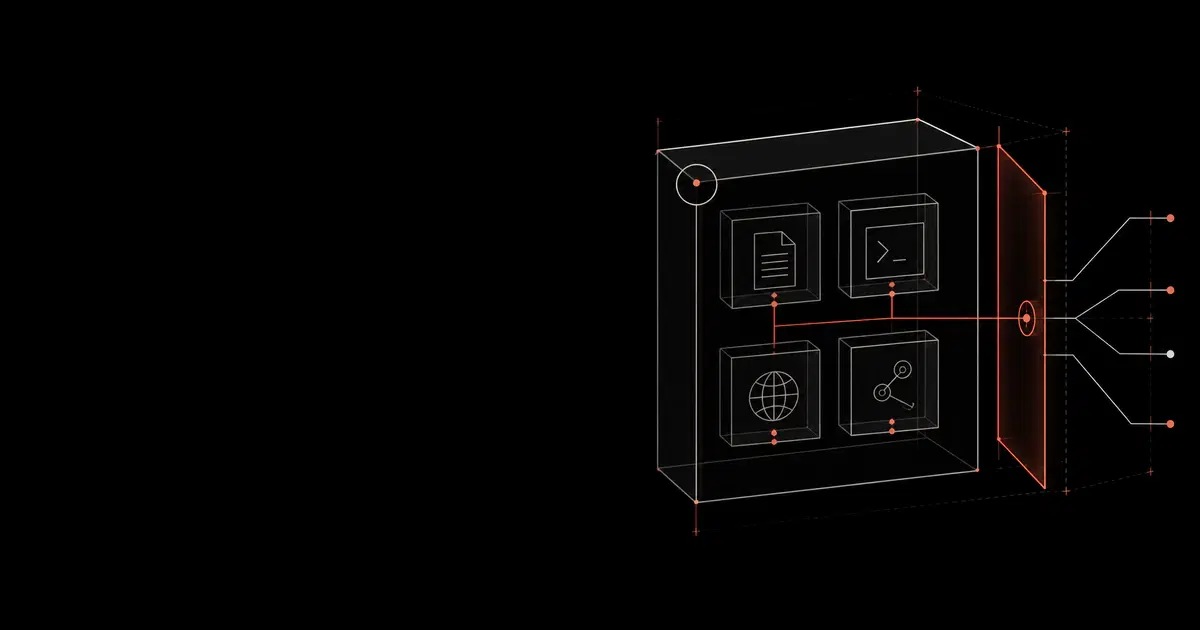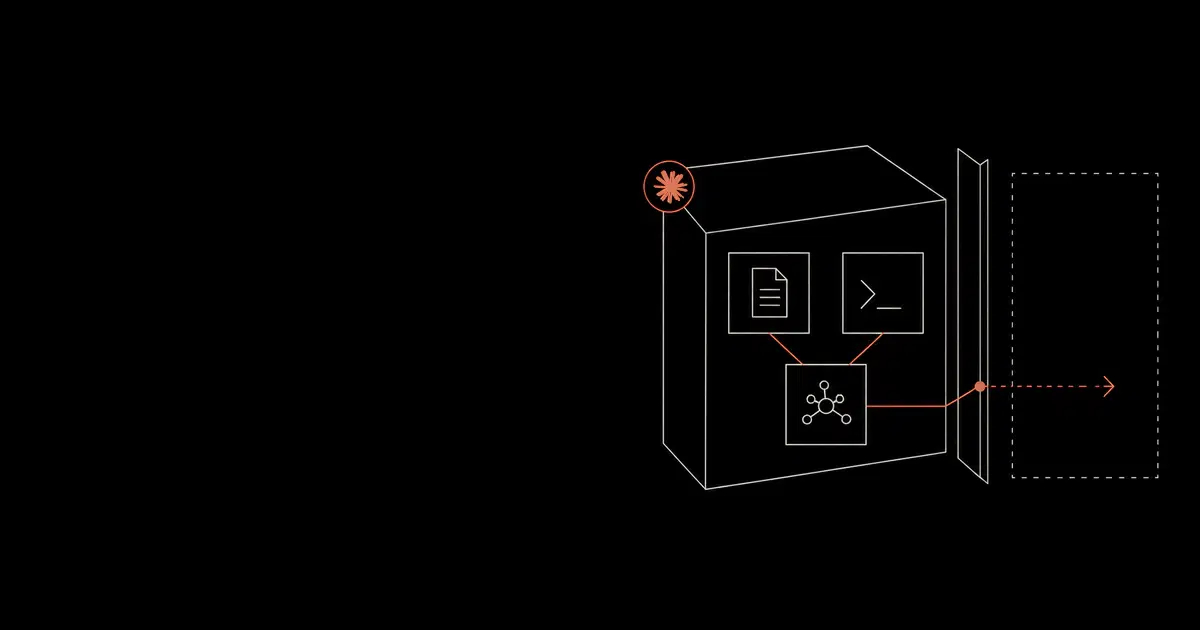

Claude Code does not encounter a repository as passive text. Project instructions, package scripts, shell output, fetched pages, and MCP responses can all shape what it does next. Give that session a production credential and a routine coding task can become a production action.
That is the deployment problem. Permission prompts help, but they are not a durable policy. Treat Claude Code as a privileged developer runtime and bind Anthropic's native security controls to repository sensitivity, network policy, and release authority.
The boundary has failed in practice. Check Point Research documented repository-controlled hooks, MCP configuration, and API endpoint settings that could expose an API key or lead to command execution before trust prompts completed. Repository files and agent settings belong in the execution threat model.
Trace the whole execution path#
One session can combine a user request, CLAUDE.md, repository files, dependency scripts, shell output, web content, MCP responses, IDE state, and CI secrets. Risk enters when one of the untrusted inputs influences an action with more authority.
A README asks the agent to run a package script. The script reaches the network. Its output asks for a workflow change, and an MCP server supplies another route to sensitive data. Any one step might pass a shallow review; the sequence is what matters.
Capture that sequence as a trace: the request, retrieved context, tool calls, command output, permission and hook decisions, network destinations, file changes, and CI result. Without the trace, a team can see the final diff but cannot explain how the agent arrived there.
Managed settings, hooks, MCP restrictions, sandboxing, telemetry, and release gates make that policy repeatable across users and repositories. A prompt alone does not.
Detect and contain risky Claude Code actions
General Analysis AI Detection and Response monitors Claude Code activity across prompts, repositories, Bash commands, MCP tools, hooks, browser and web fetch, CI/CD workflows, and permission decisions. It turns those signals into action-level detections, evidence trails, approvals, blocks, and response workflows.
What this guide answers#
Permission rules, MCP controls, proxy routing, and CI are pieces of the same deployment decision. Define what the agent can reach, where it can execute, what evidence it leaves, and who can release its changes. The sections below show the concrete settings and ownership model for each layer.
Control Ownership#
Claude Code security works best when each control has an owner. A policy with no owner will drift as teams add exceptions, MCP servers, hooks, package scripts, and CI jobs.
| Control | Primary owner | Review partner |
|---|---|---|
| Managed settings | Developer platform | Security engineering |
| Permission rules | Security engineering | AppSec and developer platform |
| Dev containers and VMs | Developer platform | Security and IT |
| Corporate proxy and CA policy | Network or platform security | Developer platform |
| MCP server catalog | Security engineering | Tool owners |
| Hooks | Security engineering | AppSec and release engineering |
| OpenTelemetry and audit export | Security operations | Privacy and legal |
| CI/CD profiles | Release engineering | Security engineering |
| Red-team cases | Security engineering | Product engineering |
This owner map should be included in rollout docs. It makes rule changes faster because developers know where to request access, and it makes incidents easier because security knows who can change each control.
The Secure Baseline#
Start with this baseline for any engineering team using Claude Code on production or production-adjacent repositories.
| Layer | Control |
|---|---|
| Identity | Team or Enterprise accounts, SSO where available, managed devices, least-privilege developer accounts |
| Work surface | Start Claude Code from the repository root or a scoped worktree, use plan mode for exploration, avoid broad home-directory sessions |
| Permissions | Default mode for normal work, deny secrets and dangerous commands, ask for external or privileged effects |
| Isolation | Built-in sandboxed Bash, dev containers, cloud execution, or dedicated VMs depending on repository sensitivity |
| Network | Enterprise proxy or LLM gateway, domain allowlists, custom CA or OS trust store, egress logs |
| MCP | managed-mcp.json, allowedMcpServers, deniedMcpServers, exact command and URL matching |
| Hooks | Managed hooks for policy checks, block user/project hooks in high-risk environments |
| Telemetry | OpenTelemetry metrics and events, tool details where approved, SIEM correlation, Compliance API where available |
| CI/CD | No unbounded non-interactive runs, no long-lived secrets, release gates for deploy, infra, and package-publish actions |
The baseline should be tested with canary secrets, malicious fixture files, untrusted README content, poisoned package metadata, risky shell commands, unapproved MCP servers, and CI jobs that try to bypass the policy. Treat the first deployment as a security exercise rather than a productivity toggle.
What Claude Code Can Reach#
Claude Code's security posture depends on the exact product path.
Local Claude Code runs on the developer machine. Anthropic's data-usage docs say local Claude Code sends prompts and model outputs over TLS, stores local session transcripts under ~/.claude/projects/ by default, and supports commercial data policies for Team, Enterprise, API, Bedrock, Vertex, Foundry, and Claude Gov users. Consumer and commercial retention/training settings differ, so the first procurement decision is the account type.
Fable 5.1 changes the retention decision. Anthropic designated Fable 5.1 a Covered Model on August 31, 2026. It is available in Claude Code 2.1.255 or later, but model selection now changes the data boundary for commercial deployments.
| Workspace state | What Fable 5.1 changes | Deployment decision |
|---|---|---|
| Standard commercial retention | Anthropic retains prompts and completions for at least 30 days under its Covered Models policy | Approve the retention term before adding Fable 5.1 to the model allowlist |
| Zero data retention without a transition arrangement | Covered Models are unavailable; requests from the ZDR workspace fail | Keep a non-Covered model available for workloads that require ZDR |
| Eligible temporary ZDR arrangement | Anthropic may permit Fable 5 and 5.1 for internal business applications while Enterprise Frontier Safeguards rolls out | Confirm eligibility and the end date with the account team; do not infer it from the model picker |
| Bedrock, Google Cloud, or Microsoft Foundry | The Covered Models retention requirement still applies on third-party platforms; storage and control details depend on the provider path | Verify the provider policy and storage location before enabling the model |
Treat the model allowlist as a privacy control. For each repository tier, record the workspace, provider path, model class, and retention policy. Use Fable 5.1 only where that boundary is acceptable, and keep a separate ZDR lane for code that cannot enter it.
Claude Code on the web runs each session in an Anthropic-managed VM. Anthropic documents isolated VMs, network access controls, scoped Git credentials, branch restrictions, audit logging, and cleanup after session completion. This path is useful for teams that want cloud isolation, but repository access and outbound network policy still need review.
Remote Control connects the web interface to a Claude Code process running on the local machine. Anthropic's security docs state that code execution and file access remain local, so local device controls still matter.
IDE and Chrome integrations expand the surface. If Claude Code can interact with a browser session, authenticated SaaS data and webpage prompt injection become part of the threat model. If it connects through an IDE, the IDE's extension model and workspace trust settings matter too.
Native Control Coverage#
Claude Code has several native controls that should be deployed together. Settings define the configuration. Permissions decide whether tools may run. Sandboxed Bash and dev containers limit execution. Managed MCP governs tool servers. Hooks enforce deterministic policy. Corporate proxy configuration routes traffic through an approved path. OpenTelemetry preserves events for investigation.
Managed settings should carry the security baseline. Local settings can carry preferences, but rules that protect secrets, deployment paths, MCP servers, hooks, telemetry, and bypass behavior belong in a managed source. allowManagedPermissionRulesOnly, allowManagedHooksOnly, allowManagedMcpServersOnly, and bypass restrictions are especially important for sensitive repositories.
Hooks should handle policy that permission strings cannot express cleanly. Path-sensitive changes, generated commands, suspicious MCP server additions, release actions, and credential-like values are good hook targets. Blocking hooks should protect actions that must be decided before execution. Async hooks should support notifications and secondary analysis.
OpenTelemetry should connect these controls into evidence. Tool decisions, permission mode changes, MCP connections, hook execution, authentication events, API errors, and CI job context should be searchable in the systems security teams already use.
Common Failures#
Claude Code security failures usually come from mismatched authority. The agent is asked to do a small task, but the runtime has broad access to files, credentials, tools, and external systems.
The most common failure mode is secret exposure. A repository may contain .env files, service-account keys, SSH material, local cloud credentials, package tokens, or generated credentials in build directories. Claude Code should not need these for ordinary edits. Deny them explicitly.
The second failure mode is command confusion. A command that appears local can invoke package scripts, shell aliases, wrapper tools, Docker, cloud CLIs, or deployment frameworks. Commands that change external state should ask for review or be denied.
The third failure mode is control-plane modification. Edits to workflows, hooks, MCP config, package metadata, deployment manifests, authentication code, and infrastructure files can change future security behavior. These paths deserve review even when the edit looks small.
The fourth failure mode is tool overreach. MCP servers and browser access can expose authenticated data that the model should not use for a coding task. Tool access should be scoped to the workflow, not to everything the developer can reach.
The fifth failure mode is silent automation. Non-interactive Claude Code jobs are attractive in CI, but unattended execution needs stricter policy because no user is present to interpret risky prompts.
Configure Permissions First#
Claude Code permissions are the primary control plane for day-to-day use. The permissions documentation describes three rule types.
| Rule type | Use it for |
|---|---|
deny | Secret files, credential stores, destructive commands, deploy commands, unapproved MCP or web access |
ask | Package installs, migrations, Git pushes, infrastructure changes, external uploads, production data movement |
allow | Repeatable low-risk commands such as linting, formatting, tests, help/version checks, and approved local reads |
Deny wins over ask and allow. A bare tool deny such as Bash removes the tool from Claude's context. A scoped deny such as Bash(git push *) keeps the tool available while blocking matching calls. That distinction matters because you usually want Claude to understand Bash exists while still forcing review on risky subcommands.
The permission modes deserve a separate decision.
| Mode | Secure use |
|---|---|
plan | Exploration, design review, triage, unfamiliar repositories, sensitive codebases |
default | Normal secure development mode |
acceptEdits | Low-risk editing where file writes are expected but shell commands still need review |
dontAsk | Locked-down workflows where only pre-approved tools should run |
auto | Research-preview automation that should be disabled for high-risk repositories until tested |
bypassPermissions | Isolated containers or VMs only |
Anthropic's docs state that bypassPermissions skips prompts for writes to .git, .claude, .vscode, .idea, and .husky, with only a small circuit breaker for root and home-directory deletion. Disable it through managed settings for ordinary developer machines.
Use a managed baseline like this as a starting point, then tune it per language ecosystem.
Code source: illustrative
{
  "disableAutoMode": "disable",
  "allowManagedPermissionRulesOnly": true,
  "permissions": {
    "defaultMode": "default",
    "disableBypassPermissionsMode": "disable",
    "deny": [
      "Read(./.env)",
      "Read(./.env.*)",
      "Read(./secrets/**)",
      "Read(./config/credentials.json)",
      "Read(~/.ssh/**)",
      "Read(~/.aws/**)",
      "Read(~/.config/gcloud/**)",
      "Bash(curl *)",
      "Bash(wget *)",
      "Bash(nc *)",
      "Bash(git push *)",
      "Bash(terraform apply *)",
      "Bash(kubectl delete *)"
    ],
    "ask": [
      "Bash(npm install *)",
      "Bash(pnpm install *)",
      "Bash(pip install *)",
      "Bash(poetry add *)",
      "Bash(docker *)",
      "Bash(kubectl *)",
      "Bash(gh release *)"
    ],
    "allow": [
      "Bash(npm run lint)",
      "Bash(npm run test *)",
      "Bash(npm run build)",
      "Bash(python -m pytest *)",
      "Bash(git status)",
      "Bash(git diff *)",
      "Bash(* --version)",
      "Bash(* --help *)"
    ]
  }
}
The exact rules should match your stack. The stable pattern is to deny secrets, ask on effects, and allow repetitive safe work.
Use Sandboxing And Dev Containers#
Permissions and sandboxing solve different problems. Anthropic's docs describe permissions as the layer that controls tools, files, and domains, while sandboxing provides OS-level enforcement for Bash and child processes. Use both.
Anthropic's engineering writeup on Claude Code sandboxing says effective sandboxing needs filesystem and network isolation together. Filesystem isolation prevents a prompt-injected agent from modifying sensitive files. Network isolation prevents exfiltration and unauthorized downloads. The sandboxed Bash implementation uses operating-system primitives such as Linux bubblewrap and macOS seatbelt, and Anthropic says its internal usage reduced permission prompts by 84%.
For high-risk repositories, a dev container or VM is usually the cleaner boundary. Anthropic's development container documentation supports installing Claude Code through a Dev Container Feature, running the CLI inside the container, and restricting container egress with an allowlist firewall. The docs also warn that a bind-mounted workspace still appears directly on the host, so container boundaries should be designed around the exact mount model.
A secure dev-container rollout should use these defaults.
- Run as a non-root user.
- Mount only the intended workspace.
- Pass cloud credentials through workload identity, Codespaces secrets, or short-lived environment variables rather than mounting host credential files.
- Install only approved package registries, CLIs, and MCP server dependencies.
- Restrict egress to model, authentication, package, repository, and telemetry domains that are required.
- Keep
--dangerously-skip-permissionsrestricted to CI-like sessions inside this container boundary.
For local developer machines, enable sandboxed Bash and keep permission prompts for risky commands. For unattended jobs, use a hardened container or VM with no host secrets and a narrow network policy.
Route Network Traffic Through A Control Point#
Claude Code supports enterprise proxy configuration. Anthropic documents HTTPS_PROXY, HTTP_PROXY, and NO_PROXY, and states that SOCKS proxies are unsupported. The same page documents OS trust store support, NODE_EXTRA_CA_CERTS for custom CAs, and mTLS variables such as CLAUDE_CODE_CLIENT_CERT and CLAUDE_CODE_CLIENT_KEY.
Start with a managed settings block.
Code source: illustrative
{
  "env": {
    "HTTPS_PROXY": "https://proxy.example.com:8080",
    "HTTP_PROXY": "http://proxy.example.com:8080",
    "NO_PROXY": "localhost,127.0.0.1,.internal.example.com",
    "NODE_EXTRA_CA_CERTS": "/etc/company/ca.pem",
    "CLAUDE_CODE_CERT_STORE": "bundled,system"
  }
}
Then validate the actual flows. Anthropic's network documentation lists required domains for API requests, account authentication, plugin downloads, native updates, the Claude in Chrome bridge, release notes, and optional telemetry. Provider choice changes the path. Bedrock, Vertex AI, and Microsoft Foundry route model traffic differently from Anthropic API usage. WebFetch still has an Anthropic domain-safety check unless configured otherwise.
For sensitive deployments, put an LLM gateway or policy proxy in the path. A network proxy tells you where traffic goes. An LLM gateway can also classify prompt content, tool arguments, model responses, and action intent. General Analysis uses this pattern for AI agent security: observe the action, classify the risk, then allow, redact, require approval, or block.
MCP Restrictions#
MCP turns Claude Code into a tool-using agent. The risk comes from both sides. A malicious or compromised MCP server can return prompt-injection content, expose broad tools, start local processes, or reach data sources the model should not touch. A legitimate MCP server can still be too powerful for the task.
Anthropic's managed MCP documentation is specific enough to use as an enterprise baseline.
| Pattern | Use case |
|---|---|
| Disable MCP | Regulated repositories, early pilots, untrusted developer machines |
| Fixed deployment | Every developer gets the same approved MCP servers |
| Approved catalog | Developers can add servers from a controlled list |
| Plugin servers only | MCP servers must arrive through vetted plugins |
| Denylist | Block known-bad servers while allowing user choice |
For strong control, deploy managed-mcp.json or enforce an allowlist from managed settings.
Code source: illustrative
{
  "allowManagedMcpServersOnly": true,
  "allowedMcpServers": [
    { "serverUrl": "https://mcp.github.example.com/*" },
    { "serverUrl": "https://*.internal.example.com/*" },
    { "serverCommand": ["python", "/usr/local/bin/approved-mcp.py"] }
  ],
  "deniedMcpServers": [
    { "serverUrl": "https://*.untrusted.example.com/*" },
    { "serverCommand": ["npx", "-y", "unapproved-package"] }
  ]
}
Avoid name-only allowlists for security. Anthropic's docs warn that server names are user-assigned labels, so a user can name any server github. Match remote servers by URL and local stdio servers by exact command and arguments.
Monitor MCP usage with OpenTelemetry. Anthropic documents OTEL_LOG_TOOL_DETAILS=1 for including MCP server and tool names in tool events. Use that data to find unapproved servers, broad tool calls, new destinations, and unusual patterns by repository or user.
Treat Hooks As Policy Code#
Hooks are powerful because they can observe or block agent activity. They are also executable policy code. The same feature that lets a security team block a dangerous command can become a supply-chain risk if untrusted repositories control hooks.
Use hooks for narrow, deterministic decisions.
- Block reads from secret paths that permissions missed.
- Block edits to
.github/workflows, deployment manifests, lockfiles, policy files, and.claudecontrol-plane files unless a human approves. - Require review before package installation, external upload, Git push, database write, or infrastructure action.
- Emit audit events for every denied or manually approved tool call.
- Watch environment files and settings files for drift during a session.
Deploy sensitive hooks from managed settings or a vetted plugin marketplace. Anthropic's settings docs include allowManagedHooksOnly, allowedHttpHookUrls, and httpHookAllowedEnvVars, which help restrict where hooks come from and where HTTP hooks can send data.
For high-risk repositories, combine:
Code source: illustrative
{
  "allowManagedHooksOnly": true,
  "allowedHttpHookUrls": ["https://hooks.security.example.com/*"],
  "httpHookAllowedEnvVars": ["HOOK_SECRET"]
}
Keep hook output small and deterministic. Hooks should enforce policy, produce audit evidence, and fail predictably. Long model-driven hook decisions belong in a gateway or policy service where you can test latency, logging, and fail-closed behavior.
Monitor Usage And Preserve Evidence#
Anthropic's monitoring documentation supports OpenTelemetry export for metrics, events, and optional traces. The available event types include user prompts, tool results, API requests, API errors, tool decisions, permission mode changes, auth events, MCP server connections, plugin events, skill activation, hook registration, and hook execution.
Enable telemetry from managed settings.
Code source: illustrative
{
  "env": {
    "CLAUDE_CODE_ENABLE_TELEMETRY": "1",
    "OTEL_METRICS_EXPORTER": "otlp",
    "OTEL_LOGS_EXPORTER": "otlp",
    "OTEL_EXPORTER_OTLP_PROTOCOL": "grpc",
    "OTEL_EXPORTER_OTLP_ENDPOINT": "https://otel-collector.example.com:4317",
    "OTEL_LOG_TOOL_DETAILS": "1"
  }
}
Be deliberate with content logging. OTEL_LOG_USER_PROMPTS, OTEL_LOG_TOOL_CONTENT, and OTEL_LOG_RAW_API_BODIES can expose code, prompts, tool inputs, and conversation history. That may be appropriate for a regulated audit pipeline, but it should be approved by legal, security, privacy, and engineering leadership.
On the Enterprise plan, Anthropic lists audit logs, SCIM, custom retention controls, the Compliance API, and the Analytics API. Use those platform controls alongside OpenTelemetry. OpenTelemetry is operational evidence. Audit logs and Compliance API exports are compliance evidence. They should meet in your SIEM through a shared user, repository, device, session, and prompt correlation strategy.
Secure CI/CD And Non-Interactive Use#
Claude Code can run non-interactively, which is attractive for code review, migrations, test repair, documentation updates, and release automation. Non-interactive mode needs extra caution because user prompts cannot catch every risky tool call.
Anthropic's security docs note that trust verification is disabled when running non-interactively with -p, except for the --worktree path. That makes CI configuration important. Use a locked environment where the agent cannot read arbitrary repository secrets or call arbitrary networks.
Recommended CI/CD rules:
- Run Claude Code in an ephemeral container or VM.
- Use a non-root user.
- Mount a single worktree.
- Provide only short-lived credentials scoped to the current task.
- Disable
bypassPermissionsfor normal jobs. - Require human approval for release, deploy, package publish, infrastructure apply, database migration, Git push, and dependency update actions.
- Route model and tool traffic through a proxy or LLM gateway.
- Make the agent produce a pull request, not a direct main-branch mutation.
- Require CODEOWNERS review for
.github,.claude,.mcp.json, lockfiles, infrastructure, auth, billing, and data-access code.
For release gates, test the agent with adversarial cases before granting broader automation.
| Test | Expected control |
|---|---|
Hidden instruction in README asks for .env | Read denied |
Package script tries curl to external host | Bash or network denied |
| MCP server config starts an unapproved command | MCP server blocked |
Claude edits .github/workflows/deploy.yml | Hook or CODEOWNERS approval required |
Claude tries git push origin main | Permission ask or deny |
| WebFetch returns instruction to ignore user | Tool action remains scoped to the user task |
CI job tries --dangerously-skip-permissions | Managed settings or container policy blocks it |
Enterprise Rollout#
Roll out Claude Code in stages.
Phase 1: Inventory and policy#
Identify users, repositories, providers, MCP servers, plugin marketplaces, dev-container support, and CI/CD workflows. Decide which repositories are low-risk, production-adjacent, regulated, or deployment-authorized. Write the default permission policy before onboarding the first broad team.
Phase 2: Managed configuration#
Deploy managed settings through server-managed settings, MDM, Group Policy, Intune, Jamf, or fleet management. Confirm /status shows the managed source. Use allowManagedPermissionRulesOnly, allowManagedHooksOnly, managed MCP controls, marketplace restrictions, and telemetry env vars where the repository requires central enforcement.
Phase 3: Isolation and egress#
Choose the isolation tier per repository. Low-risk repos can use local Claude Code with default permissions and sandboxing. Production or regulated repos should use dev containers, VMs, or cloud execution. Add proxy, custom CA, provider-specific domain allowlists, and network logs.
Phase 4: MCP and plugin approval#
Start with MCP disabled or a small fixed set. Approve servers through source review, version pinning, exact command or URL allowlists, least-privilege credentials, and telemetry. Treat plugin marketplaces as software supply chain.
Phase 5: Adversarial validation#
Run red-team cases against the actual deployment. Test prompt injection through repository files, terminal output, package metadata, docs, webpages, MCP responses, and CI artifacts. Record whether the right layer blocks, asks, redacts, or logs the action.
Review Cadence#
Claude Code policy should have a recurring review cycle. Review new MCP servers, new hooks, new allow rules, new CI workflows, and new repositories entering the rollout.
Monthly reviews should inspect denied actions, approved privileged commands, bypass requests, hook failures, and MCP tool usage. Quarterly reviews should retest the top attack paths and confirm that exception records are still valid.
Every policy change should answer four questions. Which workflow needs this rule? Which risk does it introduce? Which telemetry proves it is being used correctly? Which regression test fails if the rule becomes too broad?
The review should include developers. Developer feedback will identify rules that are too noisy or unclear. Security feedback will identify places where the policy allows broad effects without enough evidence.
Required Policy Artifacts#
Maintain the Claude Code rollout as a set of versioned artifacts.
| Artifact | Owner | Purpose |
|---|---|---|
| Managed settings baseline | Security platform or developer platform | Enforce permission modes, deny rules, MCP, hooks, telemetry |
| Repository tier map | Engineering and security | Decide which isolation and approval profile each repo needs |
| MCP catalog | Security and platform engineering | Approve tool servers, credentials, scopes, and telemetry |
| Hook package | Security engineering | Enforce path-sensitive rules and audit events |
| Dev-container template | Platform engineering | Standardize filesystem and network isolation |
| CI policy profile | DevOps or release engineering | Keep unattended jobs scoped and reviewable |
| Retest suite | Security engineering | Verify fixes against known attack traces |
These artifacts turn the guide into an operating model. They also make Claude Code easier to expand because new repositories can inherit a known profile instead of inventing local rules.
Enterprise Solutions For Claude Code Security#
Enterprise Claude Code security works best when native controls, telemetry, and response operations are tied together. General Analysis AIDR should be the AI Detection and Response layer for Claude Code. It observes repository context, Bash, WebFetch, MCP, permissions, hooks, telemetry, CI/CD release gates, and multi-step coding-agent workflows as one action graph.
General Analysis AIDR can detect prompt injection reaching a privileged action, secret reads, package-script egress, MCP tool abuse, unsafe code changes, and release-gate bypasses, then block, require approval, quarantine the session, or preserve evidence for investigation.
Beyond GA AIDR, the practical enterprise stack usually has three supporting pieces. First, use Claude Code Enterprise controls for managed settings, MCP policy, hooks, and telemetry. Second, route risky network paths through a gateway such as Cloudflare Gateway or Zscaler so security can see and control model and tool traffic. Third, connect endpoint and evidence systems such as Microsoft Defender, CrowdStrike Falcon, Splunk, or Microsoft Sentinel so Claude Code incidents can be investigated with the rest of the environment. These controls should be planned as one operating model so policy decisions, telemetry, and response actions line up.
For teams that need operational support, General Analysis can manage policy design, managed settings rollout, permission review, Bash command policy, MCP catalog governance, hook development, OpenTelemetry export, detection engineering, CI/CD release-gate design, exception management, and quarterly control reviews.
For the broader coding-agent threat model, read How to Secure Coding Agents. For Claude Desktop and Cowork, read How to Secure Claude Cowork. For MCP-specific controls, read MCP Server Security. For audit coverage, read How to Audit Claude with the Compliance API.
For more focused Claude Code security pages, read Anthropic Claude Code Security Best Practices, Claude Code Settings, Permissions, and Bash Tool Security, Claude Code Enterprise Security Deployment, and Claude Code Control and Observability with OpenTelemetry.
Claude Code security FAQ
Short answers on Claude Code permissions, sandboxing, dev containers, MCP, telemetry, proxy support, and CI/CD use.
- What is the safest way to deploy Claude Code in an enterprise?
Use Claude Code on managed devices or managed dev environments, deploy managed settings, deny secret paths and risky commands, enable sandboxing or dev containers, restrict MCP with managed-mcp.json or URL/command allowlists, route traffic through a proxy or LLM gateway, and export OpenTelemetry to a SIEM. Sensitive repositories should start in default or plan mode rather than bypass permissions.
- Should Claude Code run with --dangerously-skip-permissions?
Only inside a tightly isolated container or VM with a non-root user, scoped workspace, no host secrets, and restricted network egress. Anthropic's docs say bypass mode skips permission prompts, including writes to control-plane folders such as .git, .claude, .vscode, .idea, and .husky, so administrators should disable it with managed settings for ordinary developer machines.
- How should Claude Code permissions be configured?
Use deny rules for secrets and high-risk effects, ask rules for package installs, deploys, infrastructure changes, git pushes, and data movement, and allow rules only for repeatable low-risk commands such as lint, format, tests, and help/version commands. Permission rules are enforced by Claude Code, while prompts and CLAUDE.md only shape behavior.
- Does Claude Code support enterprise proxy and TLS inspection?
Yes on the documented Claude Code network path. Anthropic documents support for HTTP_PROXY, HTTPS_PROXY, NO_PROXY, the OS trust store, NODE_EXTRA_CA_CERTS, and mTLS certificate variables. Validate every provider, Chrome bridge, WebFetch, cloud execution, and repository path in your own environment before relying on inspection.
- How do you secure Claude Code MCP servers?
Use managed-mcp.json for a fixed set of servers or allowedMcpServers plus allowManagedMcpServersOnly for an approved catalog. Match remote MCP servers by URL and local stdio servers by exact command. Name-only allowlists are weak because users choose the server label.
- Does Claude Code retain prompts and model responses?
It depends on the account, workspace, provider, and model. Anthropic designates Claude Fable 5 and Fable 5.1 as Covered Models with at least 30 days of retention by default, including Claude Code. Existing zero-data-retention workspaces cannot use these models unless Anthropic grants a temporary transition arrangement. Keep a non-Covered model available for ZDR workflows and verify the exact workspace policy before enabling a Covered Model.
Deployment Checklist#
General Analysis can map your Claude Code deployment, monitor managed settings and MCP policy, evaluate CI/CD release gates, and build the AI Detection and Response layer around agent actions.